
Guide
How to Take a Screenshot in Hytale?
Step-by-step instructions for taking Hytale screenshots and changing the screenshot keybind.
You have come across a beautiful landscape, but how do you take a screenshot to share it with your friends. Here is a simple guide on how to take a screenshot in Hytale.
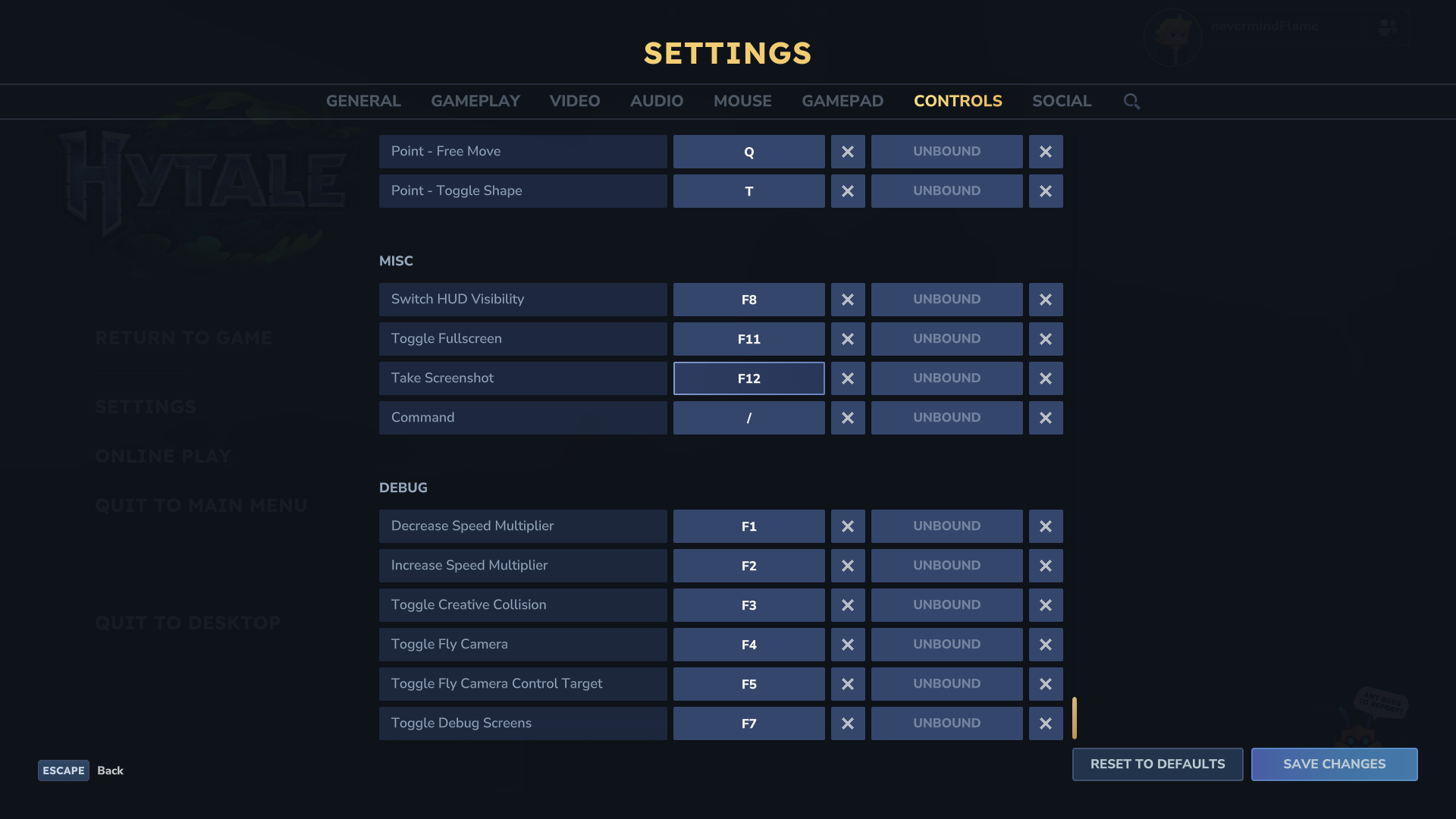
Simply press F12 on your keyboard to capture a screenshot.
How to change the screenshot keybind?
Head over to your in-game SETTINGS > CONTROLS and scroll all the way down. You will see the option to adjust the screenshot keybind here, as seen in the image below. The keybind is set to F12 by default, but you can configure it here to your preference.
For Controller Players
The same keybind settings option provides the option to set a screenshot keybind for controller player. This option can be seen right beside the keyboard keybind setting. Leave this keybind UNBOUND if you do not use a controller.