
Guide
Hytale Weather System Explained
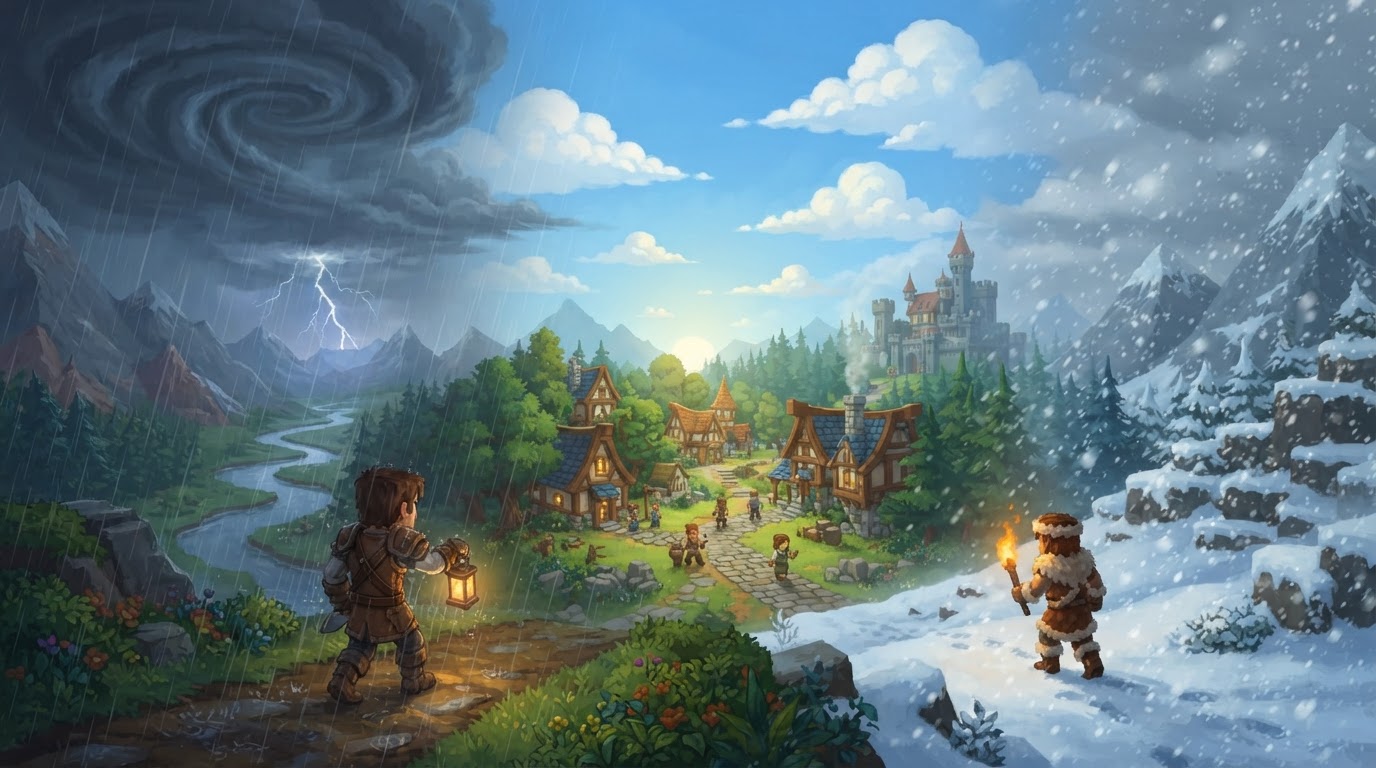
Hytale’s weather system is a highly dynamic and customizable environmental feature, designed to deeply integrate with gameplay and visual immersion. It provides real-time atmospheric events that react to the day/night cycle, local conditions, and specific biome characteristics, offering server administrators and content creators extensive tools to shape player experiences.
How Hytale’s Weather Works
The weather system in Hytale is far more than just a visual overlay; it’s a comprehensive set of mechanics that brings the world to life.
Dynamic Events and Visual Impact
Hytale features a diverse range of natural ambient events that visually transform the game world:
- Weather Types: Expect common weather such as rain, snow, and fog, alongside more dramatic events like sandstorms, thunderstorms, and even auroras.
- Visual Fidelity: Weather directly dictates the appearance of the sky, celestial bodies, and cloud formations. It influences fog density, lighting conditions, and particle effects for rain and snow. Advanced rendering techniques like dynamic shadows, bloom, and sunshafts are integrated to enhance the overall atmospheric effect.
Biome-Specific Weather Patterns
Weather is intrinsically linked to the biomes players explore, ensuring that each region feels distinct:
- Regional Variation: Different biomes possess unique weather patterns. For instance, what appears as rain in temperate zones will manifest as snow in the frigid landscapes of Borea (Zone 3).
- Unique Biome Events: Fog is a common sight in the swamps of the Emerald Grove and within the depths of caves across all zones. Sandstorms are a defining characteristic of the arid Zone 2. Zone 3, in addition to snow, can experience intense snowstorms and the ethereal glow of auroras under clear night skies.
Gameplay Impact of Weather
Weather in Hytale is not merely cosmetic; it actively influences gameplay and the challenges players face.
- Reduced Vision: Atmospheric conditions like dense fog and raging sandstorms significantly limit player visibility, making navigation and enemy detection more challenging.
- Potential for Temperature Systems: Community discussions suggest the possibility of a temperature mechanic. If implemented, cold weather could affect players, potentially requiring specific clothing or shelter for insulation to avoid adverse effects. This would add a survival layer to environmental interactions.
- Environmental Interaction (Speculative): The design team and community have explored various interactive elements:
- Lightning strikes could ignite trees or structures during thunderstorms.
- Whirlpools in oceans might affect boat travel and navigation.
- Blizzards in cold biomes could further obscure vision and impede movement.
- Ashfall might occur in devastated lands, altering the environment and potentially affecting air quality.
- More advanced concepts include puddles forming after rain, players slipping on ice or mud, and even dynamic events like avalanches or mudslides in appropriate terrain.
- Altitude-Based Weather (Uncertain): The development team is reportedly exploring altitude-driven effects for mountain peaks. This could include colder temperatures and strong winds at high elevations, adding depth to vertical exploration and requiring players to prepare for varying conditions.
Controlling Hytale’s Weather
For server administrators and content creators, Hytale offers robust tools to customize and control the weather system, allowing for tailored experiences, events, or specific aesthetic requirements.
Step-by-Step Customization
The weather system is designed with flexibility in mind, accessible through in-game tools and commands.
- Access the Customization Menu: Weather is configurable via an in-game asset customization menu. This intuitive interface allows creators to design and edit weather presets.
- Modify Weather Presets: Within the customization menu, you can adjust various aspects of the weather and sky, including:
- Sky color and gradients.
- Moon textures and skyboxes.
- Star configurations.
- Particle effects for rain, snow, and other phenomena.
- Cloud configurations and density.
These modifications allow for fine-tuning the visual atmosphere to perfectly match your creative vision.
- Utilize Server Commands (Admin/Operator Permissions Required): For immediate control and dynamic changes, server commands are indispensable:
/weather set <weather_type>: This command forces a specific weather type in the current world. Replace<weather_type>with options likerain,clear, orsnow.- Example:
/weather set rainwill instantly make it rain in your current world. - To target a specific world, use the
--world <world>parameter:/weather set snow --world MyCustomWorld.
- Example:
/weather get: Use this command to retrieve information about the currently active or forced weather conditions./weather reset: This command cancels any forced weather, allowing the dynamic weather system to resume its natural patterns based on the biome and its environmental logic.
- Applying Presets: Once custom weather presets are created, they can be activated using text commands or bound to a keypress for quick toggling. All updates are applied instantly to every player on the server without requiring them to relog, ensuring a seamless experience.
Tips for Using the Weather System
- Enhance Immersion and Challenge: Server administrators can leverage weather control to craft specific atmospheres for builds, introduce unexpected challenges (e.g., a sudden, blinding snowstorm during an event), or ensure consistent conditions for competitive gameplay.
- Consider Biome Context: Always account for the natural weather patterns and visual characteristics of different biomes when planning weather changes. Forcing a sandstorm in a lush forest might break immersion unless it’s for a specific, intended narrative purpose.
- Modding for Seasons: While not a confirmed base game feature, the modding capabilities of Hytale could allow for the introduction of seasonal weather. Mods might implement varying patterns and effects, such as intense blizzards in winter or dramatic thunderstorms in spring, potentially affecting temperature and player survival.
Community Feedback and Concerns
While the dynamic weather system is highly anticipated, community discussions have highlighted a few areas of concern or potential improvement:
- Volatile Weather Changes: Some players have observed that weather can change too drastically and quickly, particularly when moving between biomes. This can lead to a perception of lacking a cohesive “global weather” system.
- Short-Lived Events: Weather events occasionally last for very short durations, which can detract from the overall immersion and impact.
- Subtle Visuals: There’s a desire for more dramatic and impactful particle effects for rain and snow, making them feel more substantial and visually prominent.
- Tedious Hazards: A concern exists that if dynamic weather is poorly implemented, it could become a tedious hazard that forces players indoors, halting gameplay rather than enhancing it with meaningful challenges.
- Indoor Weather Glitches (Uncertain): Some users have reported instances of fog appearing inside houses or rain seemingly passing through roofs, indicating potential issues with indoor weather rendering or interactions that may need refinement.