
Guide
Hytale Update 6: Everything New in Patch
Everything new in Hytale Update 6, including combat, world generation, and technical changes.
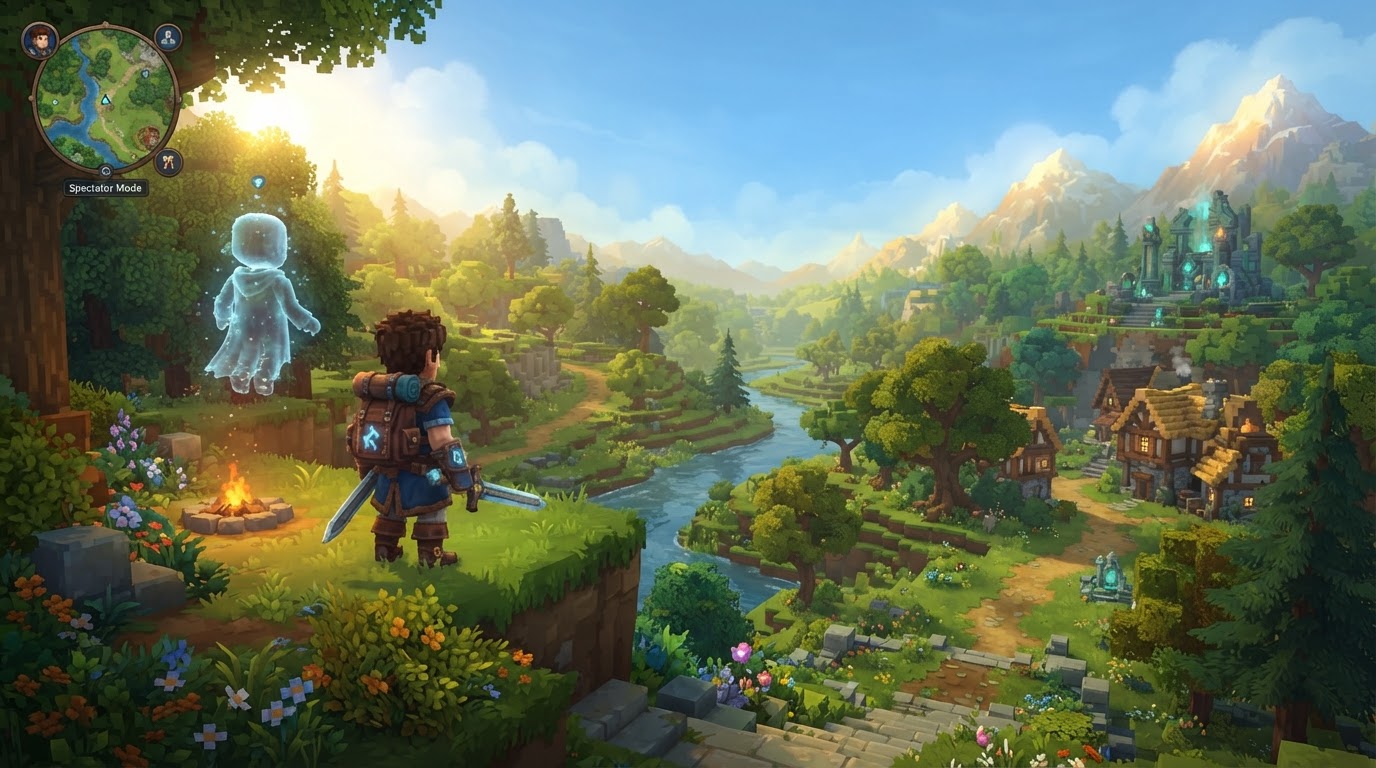
Hytale Update 6, released on August 27, 2026, marks a pivotal moment for the game, introducing a comprehensive suite of features designed to enrich gameplay, empower content creators, and significantly enhance the overall player experience. This patch delivers on long-anticipated requests, bringing a dedicated Spectator Mode, robust Hardcore Mode options, an integrated Mod Browser, and substantial upgrades to Creative Tools, alongside a multitude of performance and connectivity improvements.
Hytale Update 6: Everything New in the Latest Patch (Spectator Mode, Hardcore & More)
Hardcore Mode
Update 6 introduces a comprehensive Hardcore Mode, offering players various challenging ways to experience Hytale. This mode is enabled and customized during the initial world creation process, allowing groups to tailor their challenge.
Mechanics
- Activation: Hardcore Mode is selected via the “Customize” option when creating a new world.
- Death Consequence: Upon death in any Hardcore variant, players drop all their carried items and automatically transition into Spectator Mode, allowing them to observe the remaining gameplay.
- Variants: There are five distinct settings for Hardcore Mode, each offering a unique level of challenge and group dynamic:
- Off: Hardcore features are not enabled, allowing for standard gameplay.
- Permadeath: Each player has a single life. Death is permanent for that individual player, removing them from active participation in the world.
- Three Strikes: Each player has three lives. After the third death, the player is out of the game. The initial number of lives can be adjusted during world creation for a customized experience.
- Nine Lives: The entire group shares a collective pool of nine lives. Once the ninth death occurs across all players, the game ends for everyone in that world.
- Soulbound: This is the ultimate cooperative challenge. If any single player dies, the run immediately ends for everyone in the group, emphasizing extreme caution and teamwork.
Tips for Hardcore Mode
- Choose the Hardcore variant that best suits your group’s playstyle and desired challenge level. “Three Strikes” offers more leniency for teams, providing a buffer against early mistakes.
- For the most intense cooperative experience, “Soulbound” demands impeccable coordination and shared responsibility, making every decision critical.
Common Mistakes in Hardcore Mode
- Not thoroughly understanding the specific rules of each Hardcore variant before starting can lead to unexpected and frustrating game endings. This is particularly true for “Soulbound” or “Nine Lives,” where individual mistakes can have immediate and severe consequences for the entire team. Always discuss the chosen variant’s implications with your group beforehand.
Spectator Mode
Hytale Update 6 introduces a fully functional Spectator Mode, allowing players to observe gameplay without direct interaction, a feature crucial for both challenge modes and community management.
Mechanics
- Purpose: Spectator Mode is designed for various uses, including monitoring player activity, investigating reports of misconduct, overseeing community events, and, critically, for players eliminated in Hardcore Mode to continue observing their friends or the world they were part of.
- Features: Spectators are completely invisible and intangible to active players and entities within the game world. This allows them to fly freely through terrain and structures and follow other living players without causing any disturbance.
Exact Steps to Enter Spectator Mode
- From Hardcore Death: Players automatically enter Spectator Mode upon death in any Hardcore variant. This transition is seamless and immediate.
- For Server Operators (OPs): On a server, an operator with appropriate permissions can enter Spectator Mode by typing the command
/spectatein the chat window.
Tips for Spectator Mode
- This mode is invaluable for server moderators to ensure fair play and for community managers to organize events without their presence interfering with participants.
- For content creators, Spectator Mode offers unparalleled freedom to capture dynamic cinematic shots of gameplay.
Prior to Update 6, achieving a “spectator-like” view often involved enabling creative mode and utilizing features like “No clip” and “Fullbright” from the Builder Tools. The dedicated Spectator Mode in Update 6 formalizes this functionality, providing a more streamlined, purpose-built experience, especially for Hardcore Mode eliminations.
Mod Browser
A major highlight of Update 6 is the new in-game Mod Browser, which significantly simplifies the process of finding, installing, and managing community-created modifications for Hytale.
Mechanics
- Accessibility: The Mod Browser is seamlessly accessible directly from Hytale’s main menu, integrating mod discovery into the core game experience.
- Browsing: Players can easily discover new content through various filters, including featured, popular, and recently updated mods. A robust search function allows players to find mods by name or description, and content can be browsed by categories. Each mod listing provides essential information such as screenshots, download counts, and crucial supported game versions.
- Installation and Management: Mods can be installed directly from their listing pages without ever needing to leave the game. A dedicated “My Library” section allows players to easily view their installed mods, update them to the latest versions, or remove them with a few clicks.
- Cost: Hypixel Studios has confirmed that mods available through the browser will remain free. While future versions might introduce ways to support mod creators, the core functionality will be free to access.
Tips for the Mod Browser
- Regularly check the “recently updated” section to ensure your favorite mods are current and to discover new content as it’s released.
- Always read mod descriptions and reviews to understand their functionality and potential impact on your game.
Common Mistakes with the Mod Browser
- Forgetting to check the “supported game versions” listed for a mod can lead to compatibility issues, crashes, or unexpected behavior, especially when mixing older mods with newer game versions or vice-versa.
- Installing too many mods at once without testing them can make it difficult to identify which mod is causing a problem if one arises. Install new mods incrementally.
Creative Tools
Update 6 significantly upgrades the Creative Mode tools, providing builders and creators with more power, flexibility, and efficiency for their ambitious projects.
Mechanics
- Color Tool: Introduces advanced coloring, gradient, and shading options, allowing for unprecedented detail and artistic expression in builds.
- Block Palette Presets: Creators can now save, manage, and reuse their favorite block combinations and material palettes directly within the game using the new Palette Editor, streamlining large-scale construction.
- Larger Selections: Builder tools can now handle selections containing up to 16 million blocks, a massive improvement that significantly boosts efficiency for massive creations. This comes with faster copy, paste, and save operations for these large selections.
- Hard Collision Technology: Entities can now have hard collision, allowing players to stand on and be pushed by them. This opens up entirely new possibilities for interactive elements like moving platforms, dynamic traps, and complex minigame mechanics that require physical interaction.
- Prefab Preview Capabilities: New features enhance the previewing of prefabs, allowing creators to better visualize and place their creations before committing them to the world.
Tips for Creative Tools
- Utilize Block Palette Presets to maintain consistency across large builds and streamline your workflow, especially when collaborating or working on a series of related projects.
- Experiment with the new hard collision technology to create dynamic and interactive environments that challenge player movement and perception.
- Leverage the larger selection capabilities to tackle projects that were previously too time-consuming or technically challenging.
Other Notable Improvements
Beyond the headline features, Update 6 includes a wide array of general improvements and bug fixes that enhance the game’s stability, performance, and overall polish.
- Networking: Significant improvements have been made to multiplayer connectivity, utilizing STUN and TURN protocols to facilitate easier connections for friends without relying on external tools like Tailscale or VPNs, though double NAT network configurations might still pose challenges. The game protocol has been updated from
hytale/2tohytale/3, requiring server software and plugins to be rebuilt for compatibility. - Performance: The update brings massive frame rate and chunk loading improvements, with packet decoding being 2-4 times faster. Memory and GPU resource leaks have been fixed, and crashing servers will now attempt to automatically recover, significantly improving server stability.
- Avatar & Customization: Includes new unlockable cosmetics (such as the Bastion Cape for enabling Two-Factor Authentication), visual updates to haircuts and other cosmetic items, and various fixes related to avatar display and appearance.
- Controller Support: DualSense and Switch Pro controllers now support gyro aiming, providing more precise control options for players using gamepads.
- Combat and Stamina: These core gameplay systems have received balancing adjustments and bug fixes to refine the player combat experience.
- World Generation: Improved world generation algorithms result in smoother biome transitions and the introduction of new, visually distinct landmarks across the world.
- Technical Requirements: The update now requires OpenGL 4.1 or later, ensuring compatibility with modern graphics hardware and enabling new visual effects.
Hytale Update 6 represents a substantial step forward for the game, building on its early access launch in January 2026. By focusing on core mechanics, empowering content creation, and refining the player experience, this update solidifies Hytale’s foundation for future growth and community engagement.