
Guide
Hytale Spectator Mode: How It Works
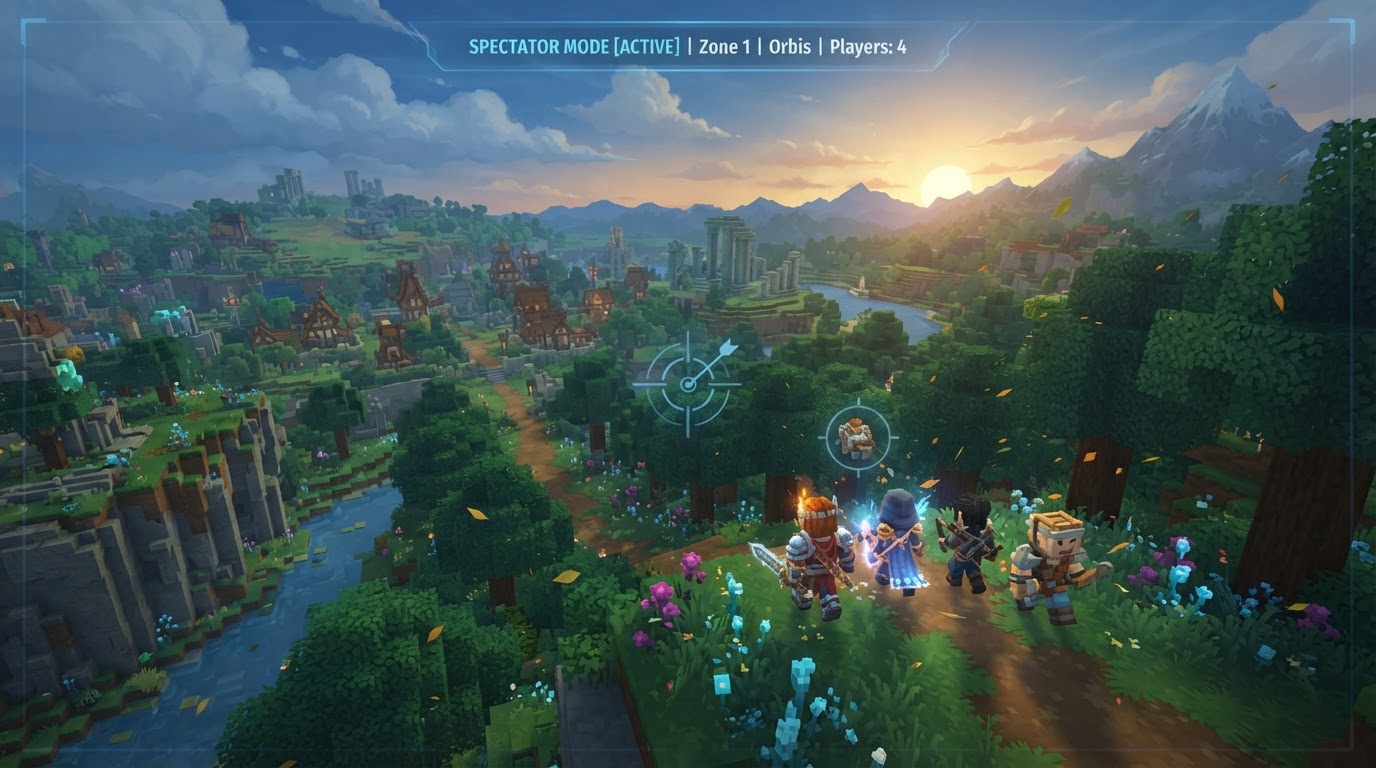
Hytale offers two distinct ways for players to observe the game world without active participation: a set of tools within Creative Mode, and a dedicated Spectator Mode introduced in Update 6. The dedicated Spectator Mode, arriving with Update 6 on August 27, 2026, provides a formal, non-participatory observation experience, while Creative Mode tools offer a similar “spectator-like” capability for those with administrative privileges.
Understanding Hytale’s Spectator Functionality
Before the introduction of a dedicated Spectator Mode, players often leveraged specific features within Creative Mode to achieve a similar observational experience. This method, while effective, differs from the formal Spectator Mode now available.
Creative Mode “Spectator” (Prior to Dedicated Mode)
This approach utilizes a combination of Creative Mode tools, primarily accessible to players with administrator privileges. It’s not a separate game mode but rather a way to move and see freely within the existing Creative Mode framework.
- No Clip: This fundamental tool allows players to fly directly through any solid object, including blocks, walls, and terrain. It grants unrestricted movement across the entire game world, making exploration and observation effortless.
- Fullbright: Enabling Fullbright dramatically increases the ambient light level for the player, effectively illuminating even the darkest areas. This feature can be used to see through terrain and structures, acting as an “X-ray” vision to locate underground features, resources, or hidden areas.
- Free Cam: The Free Cam detaches the player’s camera from their character model. This allows for independent camera movement, providing broader perspectives and the ability to frame shots or observe action from a distance without moving the character itself.
Dedicated Spectator Mode (Introduced in Update 6)
With Update 6, Hytale introduces a first-party, dedicated Spectator Mode. This is a formal game mode specifically designed for observation, offering a streamlined experience for watching gameplay.
- Non-Participatory: In Spectator Mode, players are entirely detached from the game’s active elements. They cannot interact with the world, affect gameplay, or be seen by other active players. This ensures a pure observation experience.
- Free Exploration: Similar to No Clip, players in Spectator Mode can move freely through the game world, flying through terrain and structures to observe any part of the map.
- Hardcore Mode Integration: A significant feature of the dedicated Spectator Mode is its integration with Hardcore mode. If a player is eliminated in Hardcore mode, they automatically transition into Spectator Mode, allowing them to continue watching their friends or the ongoing session without being able to interfere.
- Server Control: Server operators are provided with specific tools and commands to manage and control who can enter and exit Spectator Mode, making it a valuable asset for server administration and event management.
How to Use Creative Mode “Spectator” Tools
To utilize the observational tools within Creative Mode, you’ll need administrator privileges. These steps are applicable in your own local worlds or on servers where you have operator status.
- Grant Admin Privileges: If you are in a local world, open your chat by pressing
Enterand type/op self. PressEnteragain. You should receive a confirmation message that you are now an operator. On a server, you’ll need to be granted operator status by the server owner. - Switch to Creative Mode: Ensure your game mode is set to Creative. If not, you can often change it via server commands (e.g.,
/gamemode creativeif you have permissions) or through world settings. - Open Creative Tools: Press the
Tabkey on your keyboard. This will open the Creative Tools interface. - Navigate to Builder Tools: Within the Creative Tools menu, locate and select the “Builder Tools” section.
- Enable No Clip: Find the “No clip” option within the Builder Tools and activate it. You will now be able to fly through blocks and terrain.
- Enable Fullbright (Optional): For enhanced visibility, especially when exploring underground or inside structures, scroll down within the Builder Tools menu and enable the “Fullbright” option. This will illuminate dark areas without needing light sources.
- Activate Free Cam (Optional): To detach your camera from your character for broader views, press
F4. You can move the camera independently using your movement keys. - Hide HUD (Optional): For a cleaner, unobstructed view, press
F8to hide your heads-up display elements.
To revert these settings:
- Press
F8again to show your HUD. - Press
F4again to disable Free Cam and reattach it to your character. - To disable No Clip and Fullbright, reopen the Creative Tools (
Tab), go to Builder Tools, and toggle them off. - To exit Creative Mode entirely, you might use a command like
/gamemode adventureor/gamemode survivalif you have the permissions.
How to Enter Dedicated Spectator Mode
The dedicated Spectator Mode is a feature of Update 6 and is accessed via a simple command. As of July 2026, this command is primarily available in the pre-release branch for servers.
- Join as Operator (OP): You will need Operator (OP) privileges on the server to use this command.
- Open Chat: Press
Enterto open the in-game chat window. - Run Command: Type
/spectateinto the chat and pressEnter. You will immediately switch into Spectator Mode.
To exit Spectator Mode, server operators typically use a command like /gamemode adventure or /gamemode creative to switch back to an active game mode.
Tips for Using Spectator Mode Effectively
- Server Moderation and Administration: The dedicated Spectator Mode is an invaluable tool for server administrators. It allows them to monitor player activity, investigate rule violations, observe events, or scout areas without being visible to players or interfering with ongoing gameplay.
- Hardcore Mode Observation: If you’re playing in Hardcore Mode and are eliminated, Spectator Mode allows you to remain engaged. You can continue to watch your friends, learn from their strategies, or even provide verbal guidance (if communication channels allow) without being able to directly influence the game.
- Efficient Exploration and Scouting: Whether using Creative Mode’s No Clip and Fullbright or the dedicated Spectator Mode, the ability to fly freely through the world and see through terrain is perfect for scouting new areas, finding specific biomes, locating resources, or planning builds without needing to physically traverse the landscape. Fullbright, in particular, acts as an excellent “X-ray” for finding caves and valuable ore veins.
- Content Creation: For those creating videos, screenshots, or streaming, the Free Cam and ability to hide the HUD (
F4andF8in Creative Mode) within these observation modes are crucial for getting cinematic shots and clear views of the game world. - Community Plugin Integration: Be aware that some community-made plugins can extend the functionality of observation modes. For example, some servers might use plugins like “Hycore Revive Mode,” which allows a spectator in Hardcore to guide living players to a dropped “head item” for a potential revive. Remember these are server-specific additions, not core game features.
Important Considerations and Common Misconceptions
- Evolution of Spectator Functionality: Hytale did not initially launch with a dedicated “spectator gamemode” in the same way some other block-building games have. The initial “spectator-like” experience was achieved through Creative Mode functionalities. The dedicated, first-party Spectator Mode was officially added with Update 6, released on August 27, 2026.
- Pre-release Availability: The
/spectatecommand for the dedicated mode is currently (as of July 2026) primarily available in the pre-release branch for servers. This means that upon the official release of Update 6, it might not be immediately present on all servers or in all game versions. Server administrators will need to ensure their server is updated to the correct version. - Mod/Plugin Dependency: Features such as “Hycore Revive Mode” are community-created plugins and are not part of the core Hytale game. Their availability and specific functionality depend entirely on whether a server administrator has chosen to install and configure them. Do not expect these features to be universally present on all Hytale servers.