
Guide
Hytale Housing and Base-Building Tips
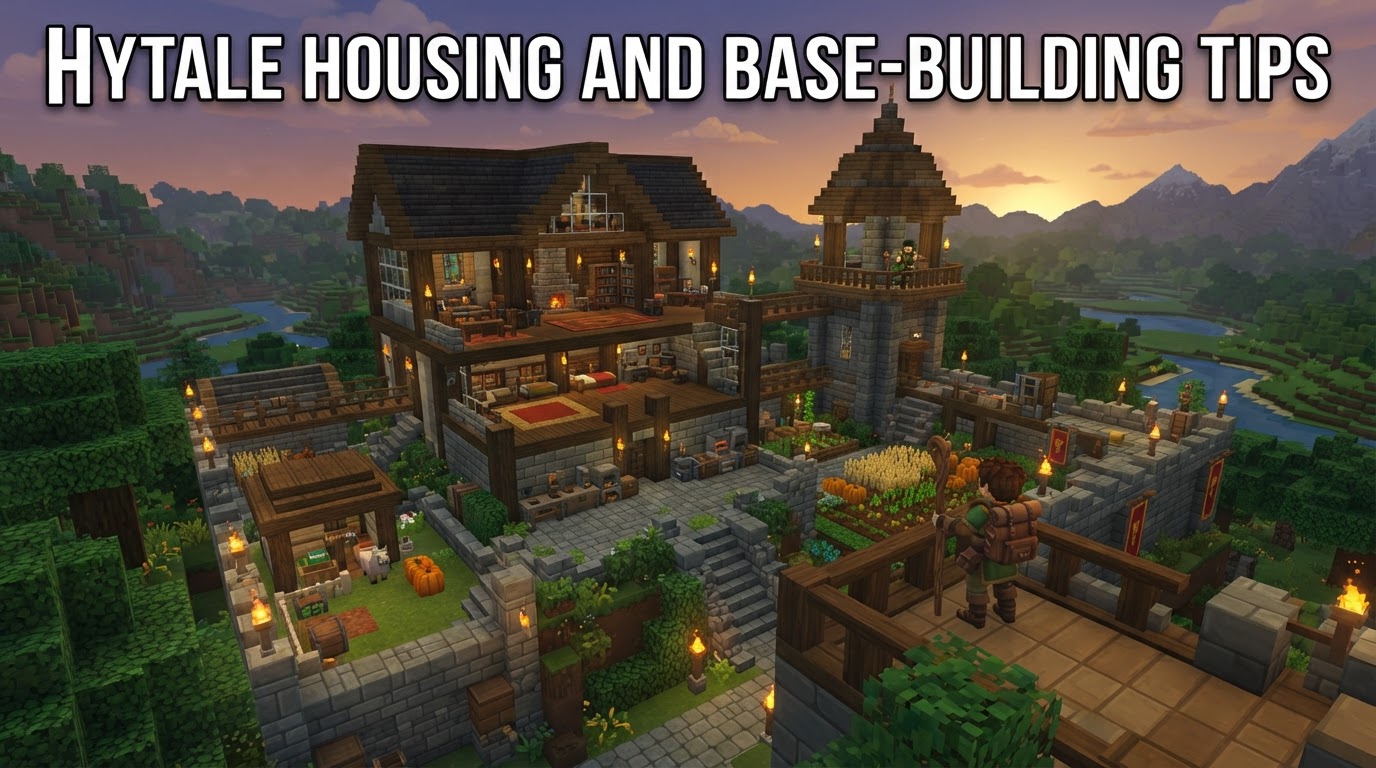
Hytale’s building system is engineered for unparalleled creative freedom, offering players a vast array of blocks, dedicated workbenches, and advanced tools to construct anything from a simple starter home to an elaborate, sprawling fortress. Mastering these elements is key to creating a base that is both functional and aesthetically pleasing.
Utilize Key Workbenches
At the heart of Hytale’s construction system are specialized workbenches that transform raw materials into the diverse components needed for building and decoration. Understanding and utilizing these early will dramatically expand your architectural possibilities.
The Builder’s Workbench
This is your primary station for converting natural resources into a multitude of construction blocks. By combining basic materials like logs and stone, the Builder’s Workbench unlocks hundreds of variants, including ornate planks, steep roof tiles, decorative pillars, and functional gates. It is essential for crafting the foundational elements of your structures, from walls and roofing to fences and basic furniture frames. To craft this vital workbench, you will need 6x Any Tree Trunk and 3x Stone at a regular Workbench.
The Furniture Workbench
Dedicated solely to interior design and decorative elements, the Furniture Workbench allows you to craft an extensive range of items to personalize your base. Categories include practical storage solutions like chests, various lighting fixtures such as lanterns and sconces, seasonal decorations, and purely aesthetic pieces like stacks of books, bones, or even plush toys. This workbench is crucial for adding character and functionality to your living spaces, transforming a mere structure into a home. Some community-created modifications may also introduce specialized Furniture Benches for even more streamlined access to decorative items.
Extensive Block and Material Variety
Hytale boasts an impressive library of building materials, providing an almost limitless palette for builders. With 854 distinct blocks available for construction, decoration, terrain shaping, and environmental design, players can achieve incredible detail and diversity in their creations.
- Natural Materials: These include various types of stone, wood, dirt, and other organic elements, each with unique textures and color palettes.
- Manufactured Blocks: Beyond natural forms, players have access to bricks, glass, metals, and other processed materials, allowing for more refined and industrial designs.
- Decorative Elements: A wide range of purely aesthetic blocks exists to add intricate details, patterns, and visual interest to any build.
Crucially, different types of wood (e.g., oak, birch, darkwood) and stone (e.g., granite, sandstone, limestone) will yield uniquely appearing planks, bricks, and other crafted building materials. This inherent variety encourages experimentation and allows players to meticulously match or contrast materials to bring their architectural visions to life, ensuring no two builds need look exactly alike.
Advanced Building Controls and Tools
Hytale’s building system extends far beyond simple block placement, offering sophisticated controls and specialized tools that empower players to build with greater precision, speed, and complexity.
Basic Building Controls
Even with fundamental block placement, keybinds enhance efficiency. The default ‘R’ key allows players to rotate blocks before placement, enabling precise orientation for stairs, roof pieces, and decorative elements. The ‘G’ key, by default, is used to drop items or blocks, useful for quick inventory management during construction.
Builder Mode Tools
For those looking to build with advanced precision or at a larger scale, particularly in creative mode or late-game survival, a suite of specialized tools becomes indispensable:
- Beam Tool: This tool allows for the creation of thinner, more delicate vertical or horizontal beams, perfect for structural detailing, railings, or intricate window frames.
- Chisel: A powerful tool for adding intricate details to stone blocks. The Chisel allows players to carve specific patterns and shapes into blocks, utilizing pre-set states to create unique textures and architectural flourishes that would be impossible with standard block placement.
- Paint Brush Tool: Enables players to change the color or texture of existing blocks, offering immense flexibility for aesthetic adjustments without having to replace entire sections of a build.
- Sculpt Brush Tool: This tool provides dynamic terrain manipulation and block shaping, allowing for organic curves and transitions in landscapes or custom block forms.
- Selection Tool: Essential for defining areas, whether for copying, pasting, or applying other tool effects to a specific region.
- Paste Tool: Works in conjunction with the Selection Tool and Blueprint System, allowing for the rapid duplication and placement of selected structures or sections.
- Line Tool: Simplifies the creation of straight lines of blocks, drastically speeding up the construction of walls, floors, or long pathways.
Blueprint System (Prefab)
One of Hytale’s most powerful building features is its integrated Blueprint System. Players can use the Selection Tool to define an area containing a structure or a part of one, save it as a “Prefab,” and then instantly paste that exact structure anywhere else in their world. This system is invaluable for replicating complex designs, building symmetrical structures, or sharing creations with others, making large-scale construction significantly more manageable.
Strategic Base Location
Choosing the right location for your base is a critical decision that impacts resource accessibility, safety, and future expansion. Thoughtful placement can save significant time and effort in the long run.
- Start in Zone 1: For your initial base, establishing yourself in Zone 1, your spawn area, is often advantageous. This central location provides relatively easy access to the resources and biomes of other zones as you progress, reducing travel time in the early game.
- Proximity to Points of Interest: Building near existing cave entrances can provide a ready source of minerals and shelter. Similarly, proximity to other generated structures, such as ruins or friendly Kweebec villages, can offer early resources, trading opportunities, or even structures to claim and renovate.
- Access to Water Sources: A nearby river, lake, or ocean is invaluable. Water is essential for irrigating agricultural fields, setting up efficient fish traps for food, and can be incorporated into decorative elements like moats or fountains.
- Renovate Existing Structures: Don’t feel obligated to build from scratch. Hytale’s world is dotted with various structures that can be claimed, repaired, and expanded upon, offering a quick and often aesthetically unique starting point for your base.
Consider the long-term implications of your chosen site, including potential for expansion, defensibility against hostile creatures, and scenic views.
Focus on Detail and Decoration
Hytale’s extensive decorative options encourage players to imbue their builds with personality and life. Moving beyond basic structures to focus on intricate details transforms a house into a home.
- Combine Materials and Textures: Don’t shy away from mixing different block types. A wall might feature a base of stone bricks, transition to smooth stone, and be topped with wooden beams, creating visual interest and depth.
- Utilize the Furniture Workbench: This workbench is your gateway to a rich interior. Craft functional items like chairs, tables, wardrobes, and shelves, but also decorative pieces that tell a story about the inhabitants.
- Miniblocks and Small Decor: Hytale features smaller, more intricate decorative items often referred to as “miniblocks” or props. These allow for fine-grained detailing, such as placing individual books on a shelf, mugs on a table, or candles on a mantelpiece, making interiors feel lived-in and authentic.
- Diverse Lighting Options: Beyond simple torches, Hytale offers a variety of lighting solutions. Lanterns, candles, chandeliers, and other fixtures can dramatically alter the mood and atmosphere of a room, providing warmer, cozier illumination.
- Biome-Specific Decor: The game includes furniture and decorative items that reflect the styles and materials of different biomes, allowing for themed rooms or entire bases that blend seamlessly with their environment or showcase diverse cultural influences.
Paying attention to these smaller details can elevate a good build to a great one, creating spaces that are not only functional but also visually captivating and immersive.
Efficient Crafting and Resource Management
Hytale streamlines the crafting process, allowing builders to focus more on creation and less on tedious resource handling. Understanding these efficiencies is crucial for large-scale projects.
- Instant Crafting and Bulk Production: The crafting system allows players to select recipes and craft items instantly, without waiting. Furthermore, many recipes support bulk production, enabling you to quickly craft large quantities of common building materials like planks, stairs, and roof tiles with a single command. This significantly reduces the time spent on preparing materials for construction.
- Automatic Material Pulling: A standout feature is the ability of crafting stations to automatically pull required materials from chests within a 14-block radius. This means you can design dedicated crafting rooms or workshops where your storage chests are strategically placed around your workbenches, eliminating the need to constantly ferry materials back and forth from your inventory. This system encourages organized storage and efficient workflow, especially when undertaking ambitious building projects.
By leveraging these features, players can maintain a steady supply of building blocks and decorations, keeping the creative momentum going without interruption.
Roofing Design
Roofs are a fundamental element of any structure, offering both protection and significant aesthetic impact. Hytale provides dedicated tools and blocks to make roofing both easier and more visually appealing.
- Dedicated Roof Blocks: Unlike traditional block-based games that might rely solely on stairs for roof slopes, Hytale introduces specialized Roof Blocks. These are designed as complex slopes that create much smoother transitions and more realistic rooflines, allowing for intricate and elegant designs.
- Automatic Corner Detection: When placing roof blocks, the game often intelligently detects corners and automatically adjusts the block’s shape to fit seamlessly. This reduces the manual effort required for complex roof geometries. However, for specific design intentions, players can override this automatic behavior and force particular shapes using the Rotation Tool (default ‘R’).
- Aesthetic Enhancements:
- Layering Materials: Experiment with combining different roofing materials, such as a base of thatch roof tiles accented with dark wood beams, to add texture and visual interest.
- Overhangs: Extend your roof one block past the exterior walls. This simple technique creates an overhang that adds depth, realism, and a finished look to your structure, breaking up flat wall surfaces and providing a sense of shelter.
- Varied Pitches: Don’t be afraid to vary the pitch of different roof sections on a single building to create more dynamic and visually engaging silhouettes.
A well-designed roof can be the crowning glory of your base, significantly enhancing its overall appearance and character.