
Guide
Hytale Accessibility Options: What’s Available
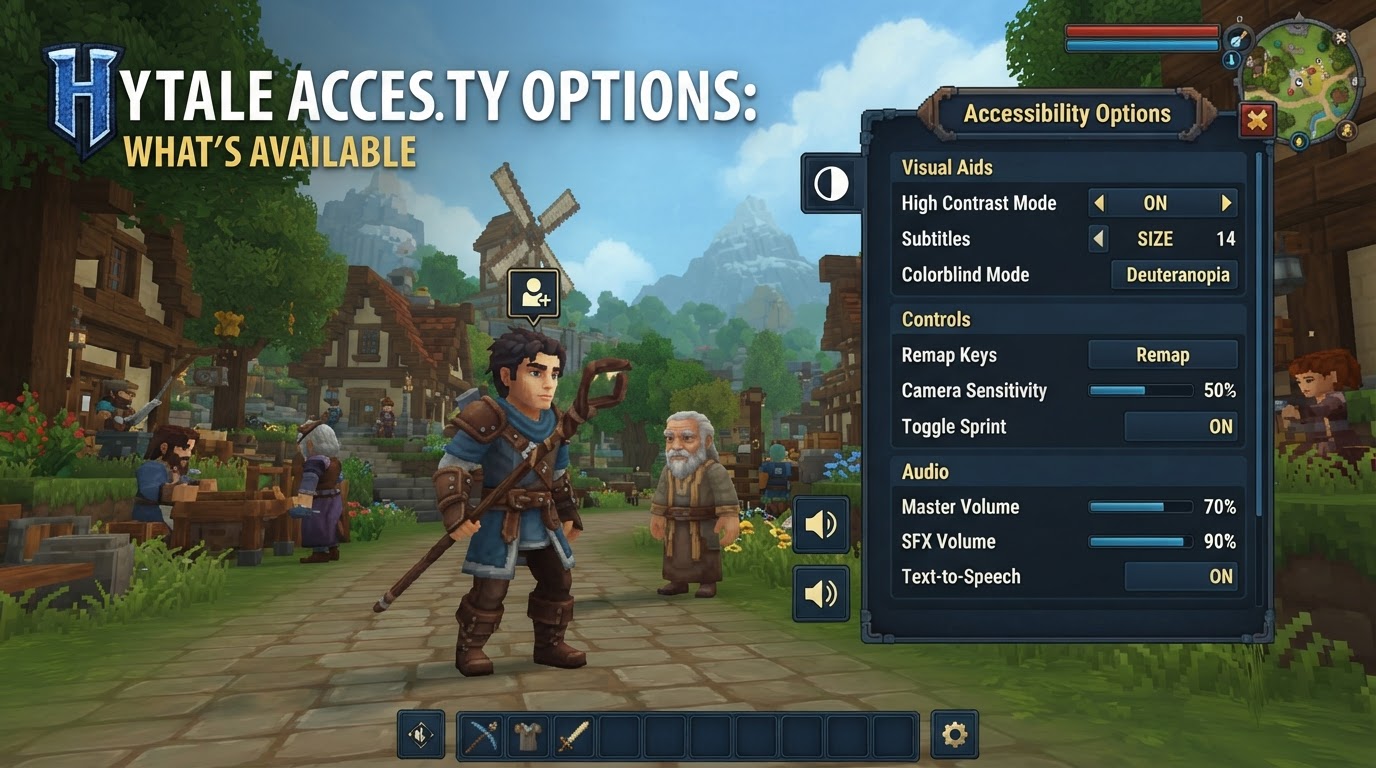
Hytale, currently in its Early Access phase, is a highly anticipated sandbox adventure game that aims to be accessible to a wide range of players. While the game is still under active development, its creators have acknowledged the importance of accessibility and are actively laying the groundwork for a more inclusive experience. This guide outlines the accessibility options currently available, those planned for future updates, and features that the community is actively requesting.
Understanding Hytale’s Accessibility Journey
As an Early Access title, Hytale’s development is iterative, meaning features are added and refined over time. This includes accessibility options, which are being progressively integrated into the game. Players should view the current state of accessibility as a foundation upon which more comprehensive features will be built, rather than a final product.
Currently Available and Planned Accessibility Features
Enhanced Input Options: Controller and Keyboard Support
- Controller Support: Significant progress has been made towards robust controller support for Hytale. Groundwork for this feature began in early 2026 and is anticipated to be a major inclusion with Update 6. Community discussions also suggest that some form of controller functionality might have already arrived in Early Access by May 2026. This development is crucial for players who prefer or require alternative input methods beyond a mouse and keyboard, offering a more comfortable and accessible way to navigate the game world and its systems.
- Enhanced Keyboard Support & Keybinds: Alongside the integration of controller support, Hytale is expected to offer more extensive keyboard support. This includes a wider array of customizable keybinding options, allowing players to remap actions to suit their individual needs and preferences. The goal is to provide deeper access to the game’s interface and systems, potentially facilitating keyboard-driven interaction with UI elements, which can be particularly beneficial for players with motor impairments.
Visual and Auditory Aids: Subtitles
- Subtitles: For players who are deaf or hard of hearing, or those who simply prefer visual cues for spoken dialogue and important sound effects, Hytale includes subtitle options. The presence of tutorials in early 2026 that demonstrate subtitle functionality confirms their availability within the game.
Uncertain or Community-Requested Accessibility Options
Beyond the confirmed and planned features, the Hytale community has actively voiced a need for additional accessibility options. These requests highlight areas where future development could significantly enhance the experience for players with diverse needs.
Visual Accessibility Enhancements
- UI/Text Scaling: A common request is the ability to scale the user interface (UI) and text sizes. This would greatly improve readability for players with low vision or those playing on larger displays where default text might appear too small.
- Contrast & Brightness Controls: Players have expressed a desire for more granular control over in-game contrast and brightness. Such options are vital for low-vision players who may find certain areas of the game too dark or struggle to distinguish elements against similar backgrounds.
- Crosshair Size Adjustment: An option to increase the size of the crosshair is frequently requested. A larger crosshair can significantly aid players with low vision in aiming and interacting with the game world more effectively.
- Colorblind Modes: The community has suggested the implementation of various colorblind modes or color modifiers. These features would help players with color vision deficiencies differentiate between crucial in-game elements, such as resource types, enemy indicators, or UI prompts. Monster outlining is a specific suggestion to make enemies more discernible.
- Improved Visual Indicators: Clearer visual indicators and cues are desired to enhance overall game comprehension. This could include more distinct visual feedback for actions, status effects, or environmental hazards, benefiting players who rely more heavily on visual information.
Control Accessibility Enhancements
- Alternative Movement Options: While traditional WASD movement is standard, there’s a strong desire for alternative movement schemes, such as mouse-based movement. Offering diverse movement controls can cater to players with specific motor control challenges or those who prefer different input styles.
- Configurable Combat Inputs: Players have suggested separating keybinds for regular and charged attacks. This would reduce the need for rapid clicking, a significant benefit for players with conditions like Repetitive Strain Injury (RSI) or other hand and wrist ailments.
- Full Rebinding Capability: The ability to rebind every single action or menu item within the game is a highly requested feature. Comprehensive remapping options are essential for players using specialized input devices, one-handed play setups, or those who simply require a highly customized control scheme.
How to Access Subtitle Options
While specific menu navigation paths may evolve with updates, subtitles in Hytale can generally be enabled through the game’s settings menu. Players should look for an “Audio” or “Accessibility” section within the main settings to locate and activate subtitle options.
Tips for Hytale Players Regarding Accessibility
Provide Constructive Feedback
Your input is invaluable. While a dedicated accessibility feedback portal might not yet exist, players are encouraged to utilize official channels such as the community Discord, official forums, or direct engagement with developers on platforms like Twitter. When providing feedback, be specific about the challenges you face and suggest potential solutions. For example, instead of saying “the game is too dark,” specify “an in-game brightness slider would greatly improve visibility in dark areas for players with low vision.”
Monitor Official Updates
Hytale is in active development, and accessibility features are explicitly part of its ongoing evolution. Key additions, such as comprehensive controller support, are planned for future updates. Regularly check official announcements, blog posts, and patch notes from the Hytale team to stay informed about new accessibility options as they become available.
Explore Community Modding Potential
The Hytale community is known for its creativity and technical prowess. As the game’s modding APIs mature, there’s potential for client-side accessibility mods to emerge. These community-driven solutions might offer custom visual aids, alternative input methods, or other enhancements that address specific accessibility needs before official features are implemented. Keep an eye on community forums and modding hubs for these developments.
Common Misconceptions About Hytale’s Accessibility
Expecting Full Accessibility at Launch
It’s important to remember that Hytale is an Early Access title. While accessibility is a priority, a comprehensive suite of options may not be available from day one. Core gameplay and stability often take precedence in early development stages, with accessibility features being progressively rolled out.
Providing General vs. Specific Feedback
Vague feedback can be difficult for developers to act upon. To make your voice heard effectively, always strive for specificity. Detail the exact problem, how it impacts your gameplay, and if possible, suggest a concrete solution. This helps developers understand the scope of the issue and how best to address it.
Overlooking Community Resources
While not official support, community discussions on platforms like Reddit, Discord, or fan wikis can be a valuable resource. Other players might have discovered workarounds, shared similar experiences, or compiled lists of accessibility challenges, offering insights and a sense of shared experience.