
Guide
Hytale Avatar Customization: Full Cosmetics Breakdown
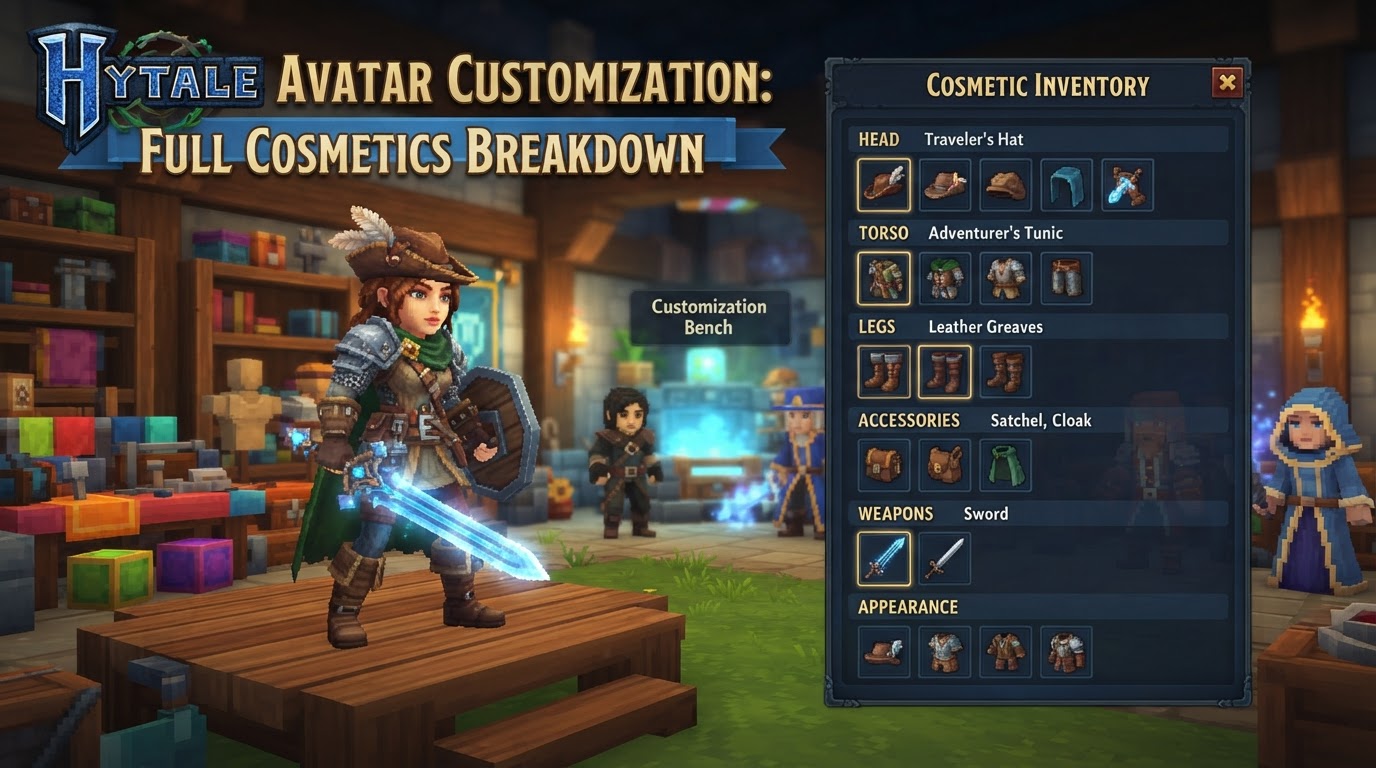
Hytale’s avatar customization system stands out for its deep modularity, allowing players to craft truly unique characters that reflect their personal style without affecting gameplay mechanics. This extensive system emphasizes visual expression, offering a vast array of cosmetic choices that players can mix and match, ensuring that each adventurer can look precisely how they envision themselves within Orbis.
The core philosophy behind Hytale’s Character Creator is pure visual customization. Aesthetic choices made here do not confer any gameplay advantages, stat boosts, or unique abilities. Instead, the focus is entirely on personal expression and allowing players to immerse themselves fully in their chosen persona. A notable aspect of this system is the absence of a direct “gender” selection; players define their character’s presentation through their choices of body features, hairstyles, and clothing, providing immense flexibility in character design. Furthermore, the game incorporates a sophisticated “gradient mapping” system, which enables a broad spectrum of color options for most items without the need for countless individual texture files, making color customization both powerful and efficient.
Exact Steps for Customization
Accessing and utilizing the Hytale Character Creator is a straightforward process, designed to be intuitive for all players. You can modify your avatar at any time without impacting your game progress.
- Access the Creator: From the main menu of Hytale, navigate to and select the “My Avatar” option. This will open the dedicated character customization interface.
-
Navigate Categories: Upon entering the Character Creator, you will see a real-time preview of your character in the central display. On the left-hand panel, customization options are logically organized into several main categories. These categories allow you to focus on specific parts of your avatar:
- Head: This section is dedicated to facial features, various hairstyles, and headwear.
- General (Body): Here, you can adjust overall body characteristics, including skin tone and subtle body type variations.
- Torso: This category focuses on upper body clothing and accessories.
- Legs: For lower body clothing and leg-related adornments.
- Capes/Cloaks: Dedicated to back adornments that add a dramatic flair to your character.
- Select and Adjust: Within each primary category, you will find various sub-options. As you select different styles, colors, or items, the preview window will instantly update to show you how your character looks with the applied changes. Experiment freely with different combinations.
- Save Changes: Once you are satisfied with your avatar’s appearance, it is crucial to save your modifications. Locate and click the “Save” button, typically positioned below the character preview. If you exit the menu without explicitly saving, all your adjustments will be discarded, and your avatar will revert to its previously saved state.
Cosmetics Breakdown
The customization system provides a rich and diverse array of cosmetic options across its various categories, allowing for an unparalleled level of personal expression.
Head
- Hair: Choose from a multitude of distinct styles, ranging from short and practical to long and flowing. Each style can then be further customized with a wide spectrum of colors, utilizing the gradient mapping system for nuanced shades.
- Facial Hair: Options for various beard and mustache styles, primarily catering to male characters, also available in a broad range of colors.
- Eyes: Select different eye styles that impact your character’s overall facial expression and personality. Eye color can also be extensively customized.
- Eyebrows: Various eyebrow styles and colors are available to complement your chosen eye and hair options.
- Head Accessories: A broad category including hats, headbands, beanies, headphones, and scarves worn around the head or neck.
- Face Accessories: Items such as glasses, spectacles, and certain types of face-covering scarves.
- Ear Accessories: Options like earrings. Some selections may also include different ear types, allowing for non-human presentations such as elven or ogre-like ears.
General (Body)
- Skin Tone: A comprehensive palette of skin tones is available, designed to represent a wide array of identities and appearances.
- Body Type: Offers subtle variations in your character’s silhouette, such as a default build or a slightly more muscular physique. These adjustments are purely visual and do not affect gameplay attributes.
- Underwear: Basic undergarment types and color options that serve as a foundational layer.
- Face Details: Further refine your character’s face with options for eye shape, makeup applications, and adjustments to mouth size or lip makeup.
- Skin Patterns: (Speculative based on community suggestions for future updates) This category could potentially include options for scales, spots, stripes, intricate elven markings, or various forms of warrior paint, adding unique visual flair directly to the character’s skin.
Torso
- Undertop: This layer includes base shirts, undershirts, and other garments worn directly beneath outer clothing.
- Overtop: Outer layers of clothing such as jackets, coats, vests, armor-style clothing pieces, additional scarves, and chest belts that can be worn over an undertop.
- Gloves: Various types of hand coverings, from simple gloves to more ornate gauntlets, along with wrist accessories like bracelets or wristbands.
Legs
- Pants: A selection of lower body garments including trousers, shorts, and skirts of various designs.
- Overpants: Items worn over or in conjunction with pants, such as socks, kneepads, or additional leg coverings.
- Leg Types: (Speculative based on community suggestions for future updates) This category might expand to include non-human leg forms like satyr or faun legs, avian talons, reptilian limbs, or even a mermaid tail when in water, offering truly fantastical character forms.
Shoes
- A diverse collection of footwear, ranging from practical boots and sneakers to more elegant or fantastical shoes. Many shoe types offer specific color sets for customization.
Capes/Cloaks
- This category provides a selection of cosmetic capes and cloaks that drape over your character’s back, adding an element of grandeur or mystery.
- Uncertainty: (Community speculation suggests this category might expand into “Back Attachments”) This could potentially include a wider range of back-worn items such as various types of wings (fairy, butterfly, dragon), or different animal tails (feran, wolf, feline, scorpion, dragon), further broadening the scope of character design.
Tips for Customization
To make the most of Hytale’s robust character creator, consider these practical tips:
- Mix and Match Creatively: The modular nature of the system is its greatest strength. Don’t be afraid to combine elements from different sets or categories to create a truly unique and personalized look that stands out.
- Take Your Time: There’s no pressure to finalize your avatar immediately. You can start playing with a basic character and return to the “My Avatar” menu from the main screen at any point to make changes without losing any game progress.
- Utilize the Hide Armor Feature: When you acquire gear with defensive stats, it often has its own visual model. If you prefer your carefully crafted custom outfit to be fully visible, remember to use the option to hide armor pieces. This allows you to benefit from armor stats while maintaining your desired aesthetic.
- Seek Inspiration with the Randomizer: If you’re feeling stuck or want a quick starting point, the Character Creator includes a “Random” button. This can generate a unique combination of cosmetics, offering inspiration or a fun, unexpected look.
- Experiment with Color: Thanks to the gradient mapping system, many items offer extensive color customization. Play around with different hues and shades to find the perfect match for your character’s personality and outfit.
Common Mistakes to Avoid
Be aware of these common pitfalls to ensure a smooth and satisfying customization experience:
- Forgetting to Save: This is perhaps the most common mistake. Any changes you make in the Character Creator are not permanent until you explicitly click the “Save” button. Always remember to save before exiting the menu.
- Expecting a Direct Gender Selection: Hytale does not feature a specific “gender” button or choice. Instead, your character’s gender presentation is entirely determined by the stylistic choices you make regarding body features, hairstyles, and clothing. Embrace this flexibility to define your character as you wish.
- Missing Out on Early Access Cosmetics: Some exclusive cosmetic items are tied to purchasing specific early access editions of Hytale (Standard, Supporter, Cursebreaker). If you do not own the corresponding edition, these items may appear locked. These are intended as rewards for early supporters and to aid development, and are not accessible to all players.
- Confusion with Modded Cosmetics: While Hytale is designed to support deep modding, including custom avatar cosmetics created by the community, it’s important to distinguish these from official game content. Other players will only be able to see your modded cosmetics if they also have the exact same mod installed. Modders are generally encouraged not to override official cosmetics to maintain clarity and avoid conflicts.