
Guide
Hytale Block Types: What You Can Build With
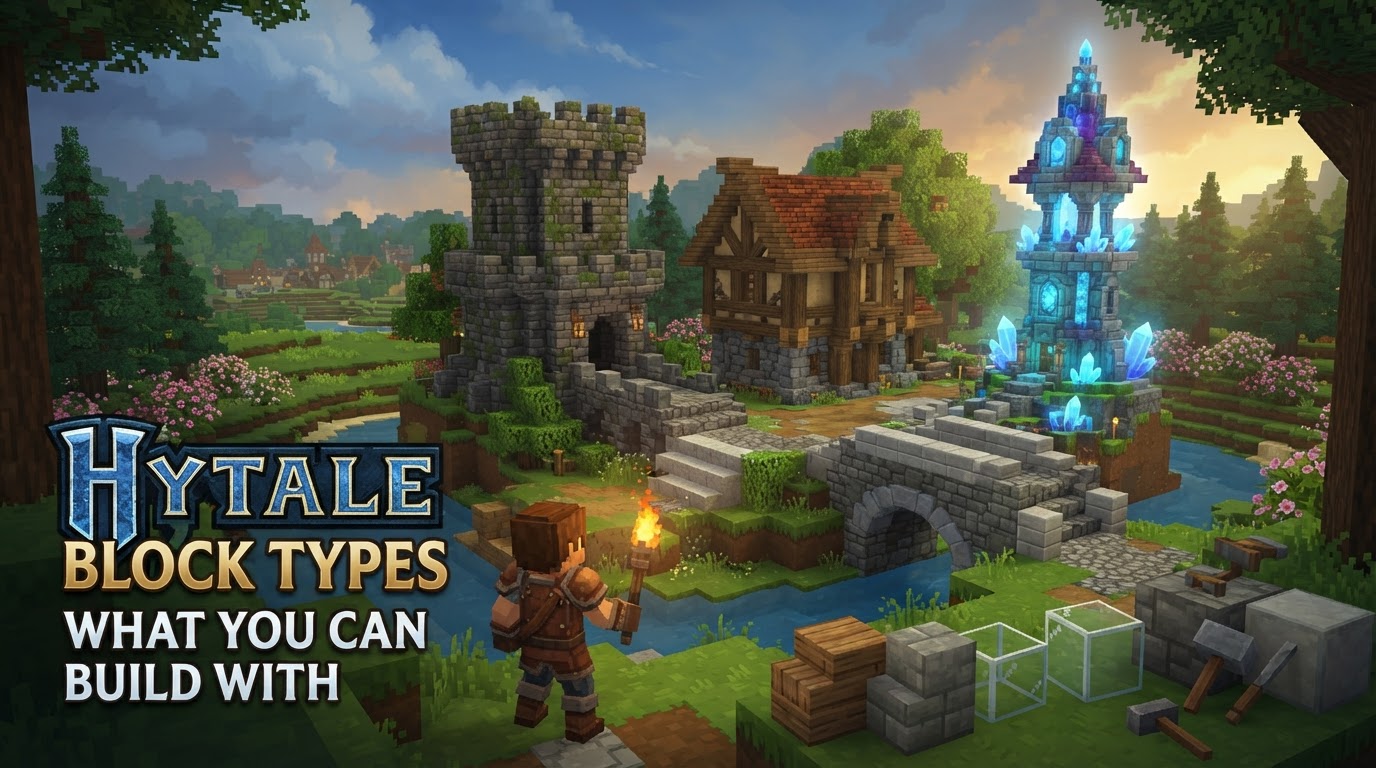
Hytale empowers players with an unparalleled array of block types and robust building mechanics, offering far more than simple cubic construction. The game’s extensive catalog, combined with diverse block forms and advanced customization options, ensures that builders can create anything from intricate architectural marvels to sprawling, functional settlements.
Understanding Hytale’s Building Blocks
At its core, Hytale’s building system is designed for both aesthetic variety and functional utility. Unlike games limited to full-cube blocks, Hytale introduces a vast spectrum of shapes and properties that dramatically expand creative possibilities.
Diverse Block Forms and Shapes
One of Hytale’s most significant innovations is its embrace of diverse block forms. Beyond the standard full cube, players have access to a rich collection of shapes including:
- Slabs: Half-height blocks perfect for subtle elevation changes, thin platforms, or decorative trim.
- Stairs: Essential for vertical progression, but also invaluable for adding intricate details to roofs, walls, and furniture.
- Beams: Slender, elongated blocks that can serve as structural supports, decorative accents, or framing elements.
- Walls: Thinner than full blocks, ideal for fences, decorative dividers, or creating more open, less bulky structures.
- Roofs: Specialized angled blocks designed to form realistic and varied rooflines, from gentle slopes to steep gables.
This variety allows for a level of architectural detail and flexibility that is crucial for creating truly unique and visually appealing builds.
Model and Texture Integration
Hytale’s commitment to visual fidelity extends to how blocks are rendered and customized:
- Custom Models: Players can utilize the Hytale Model Maker to create custom 3D models, which can then be integrated as blocks. This opens up possibilities for highly unique decorative elements, furniture, or even complex machinery components that go beyond simple block shapes.
- Hybrid Models: The game supports hybrid models that combine basic block textures with custom 3D geometry, offering a blend of traditional block aesthetics with bespoke detailing.
- Texture Customization: Beyond custom models, blocks can feature dynamic textures. This includes tinting, which allows for color variations of existing textures, and transition textures, which can create seamless visual shifts between different block types or environments.
Animations and Visual Effects
Blocks in Hytale are not static objects; many can feature interactive and ambient animations. This capability adds a layer of dynamism to environments, making builds feel more alive. Imagine flickering torches, gently swaying foliage, or even mechanical components that visibly move, all contributing to a more immersive and engaging world.
Extensive Block Catalog and Categorization
Hytale boasts an incredibly extensive block catalog, with well over 854 unique blocks for construction, decoration, terrain shaping, and environmental design. Recent updates have added hundreds of new blocks, including complete sets for various materials such as Limestone, Slate, Chalk, and Cooled Magma. These sets often include not just the base block, but also corresponding stair and half-slab variants, ensuring material consistency across different shapes.
Blocks are broadly categorized to help players navigate this vast selection:
- Foliage: Trees, bushes, flowers, and other plant life.
- Decorative Sets: Themed collections of blocks for specific aesthetic styles.
- Structures: Basic building materials like wood, stone, and metal.
- Benches & Crafting: Functional blocks for crafting and utility.
- Dungeons: Blocks specifically designed for creating dungeon environments.
- Tinkering: Blocks related to machinery, redstone-like systems, and advanced contraptions.
- Farming: Blocks for agriculture and resource cultivation.
- Stone: A broad category encompassing various rock types and their processed forms.
Modding Capabilities
For those who wish to push the boundaries further, Hytale offers robust modding capabilities. Modders can create entirely new custom blocks, defining their appearance, physical properties (like hardness or collision behavior), interaction mechanics (what happens when a player clicks on it), and even farming or growth behaviors. This ensures that the game’s block library will continue to grow and evolve far beyond its initial release.
Acquiring and Utilizing Blocks: A Step-by-Step Guide
Crafting is the primary method for acquiring most building blocks in Hytale. The system progresses from basic survival crafting to specialized workbench production.
- Initial Resource Gathering: Begin by collecting fundamental resources from the environment. This typically involves chopping down trees for
Tree Trunksand mining or breaking apart rock formations for
Stonesor
Rubble.
- Pocket Crafting: Access your inventory (commonly by pressing the
Tabkey). Within this menu, you’ll find a basic “pocket crafting” grid. This allows you to craft essential survival items and, critically, your first workbench without needing a dedicated crafting station.
- Craft a Workbench: Using the pocket crafting menu, assemble a basic
Workbench. The typical recipe requires
3 Stonesand
4 Tree Trunks. This is your gateway to more advanced crafting.
- Place the Workbench: Once crafted, deploy your
Workbenchin a suitable location. Right-clicking on it will open its dedicated crafting interface.
- Expand Crafting Capabilities: The basic
Workbenchis versatile but limited. To unlock a wider array of block recipes, you’ll need to craft specialized workbenches. Examples include a
Builder's Workbench(often requiring
6 Tree Trunksand
3 Stone) for architectural blocks, or a
Woodcutter's Blockfor processing wood into various timber forms. Each specialized workbench provides access to specific material types and block variants.
- Craft Desired Blocks: With the appropriate workbench open, browse the available recipes. Select the block you wish to build, ensure you have the necessary resources in your inventory, and craft it. These blocks will then be added to your inventory, ready for placement in the world.
Practical Tips for Effective Building in Hytale
Building in Hytale is an art form. Here are some tips to elevate your creations:
- Vary Shapes and Depth: Avoid constructing flat, monolithic structures. Start with basic shapes, then add depth by incorporating intersecting elements, external arches, log supports, ledges, and overhanging roof blocks. Consider using trapdoors around windows to add texture and detail.
- Texture and Color Variety: Monochromatic builds can appear bland. Utilize different block textures and varying shades within a color palette. For instance, use darker blocks near the base of a structure and lighter ones higher up to create visual interest and a sense of grounding.
- Experimentation is Key: Don’t be afraid to experiment with different block combinations and unconventional building techniques. Place blocks, step back frequently to view your creation from a distance, and iterate. Building is an iterative process.
- Utilize Block Palettes: Before embarking on a large build, plan your design by creating or exploring block palettes. This involves selecting a range of blocks that complement each other in terms of color, texture, and material, helping you visualize combinations before committing to construction.
- Leverage Game Mechanics: Hytale’s design allows for more open and creative structures. Without the threat of certain destructive mobs (like the “Creepers” found in other sandbox games), players can design more open concepts, such as lean-tos, buildings with fewer walls, or expansive courtyards without fear of sudden destruction.
- Learn from the Community: The Hytale community will undoubtedly be a rich source of inspiration. Watch building guides on platforms like YouTube and consider rebuilding in-game ruins or existing structures as practice to hone your skills.
Common Building Mistakes to Avoid
Even experienced builders can fall into common pitfalls. Being aware of these can significantly improve your building quality:
- Lack of Depth: A common mistake is building structures with simple, two-dimensional walls. This makes builds look flat and uninteresting. Always strive to add layers, protrusions, and recesses to give your structures volume.
- Monochromatic Designs: Relying on only one type or shade of block throughout an entire build can make it appear bland and uninspired. Embrace texture and color variety to add richness and dimensionality.
- Ignoring Specialized Workbenches: New players often attempt to craft all blocks at a single, basic workbench. Understanding that different workbenches are required for specific materials and items is crucial for unlocking the full range of Hytale’s building blocks.
- Neglecting Modding Principles (for modders): For those creating custom blocks, failing to define essential properties like physics, states, and interactions can lead to functional issues, making the custom block unusable or buggy within the game world.
Hytale’s block types and building mechanics offer an incredibly deep and rewarding experience for creators. By understanding the tools at your disposal and applying sound building principles, you can transform your wildest visions into tangible realities within the game world.