
Guide
Hytale WorldGen V2 Explained: What Changed
Hytale WorldGen V2 Explained: What Changed
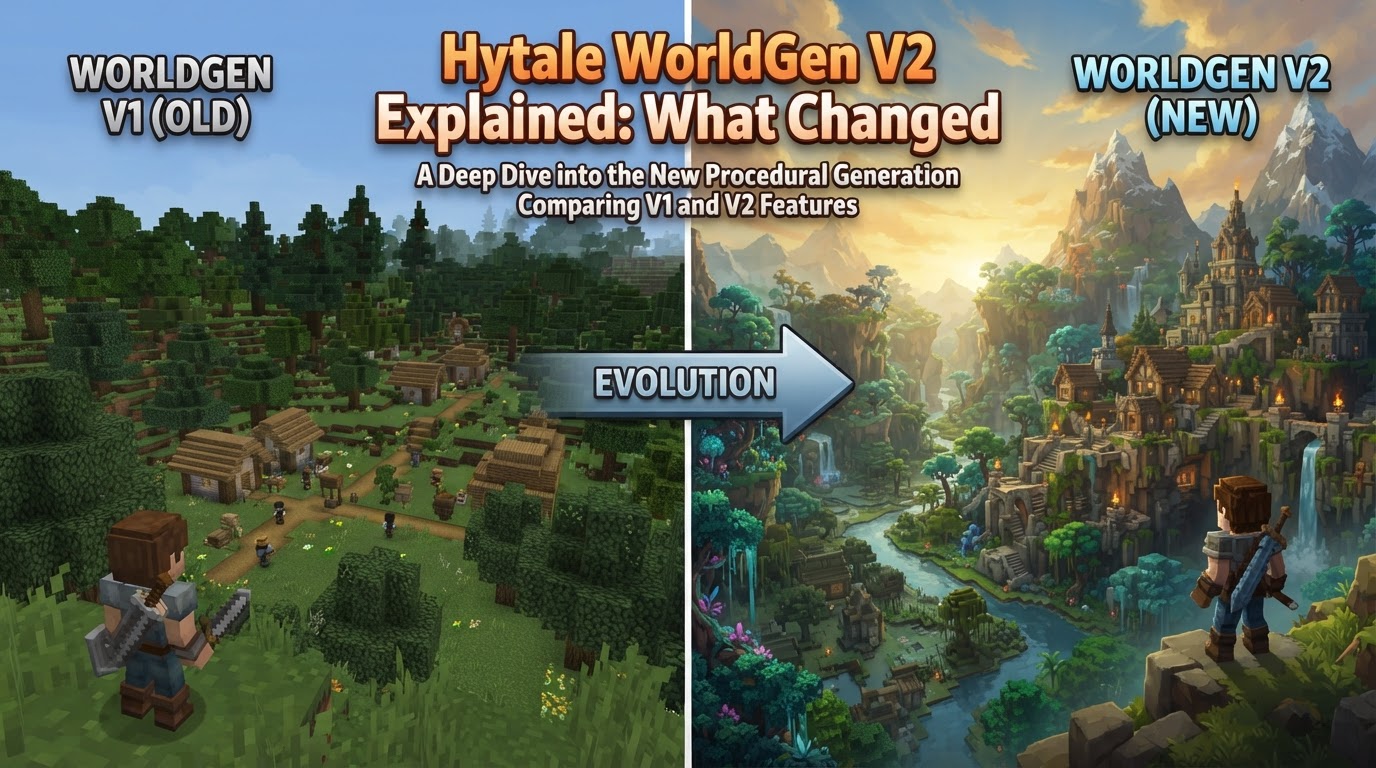
Hytale’s WorldGen V2 represents a significant leap forward in the game’s environmental design, moving beyond its predecessor to offer a more advanced, customizable, and visually cohesive world generation system. This evolution is not merely an update but a foundational shift, promising richer landscapes, deeper modding capabilities, and a more immersive experience for all players.
What is Hytale WorldGen V2?
At its core, Hytale WorldGen V2 is the next-generation engine responsible for creating the vast and varied landscapes you will explore. Unlike WorldGen V1, which laid the groundwork, V2 is engineered for a far greater degree of complexity and player/modder control. It’s designed to build worlds that feel more organic, diverse, and responsive to the underlying lore and gameplay systems.
Key Changes from WorldGen V1
The transition to WorldGen V2 brings several fundamental changes that impact how Hytale worlds are created, experienced, and modified.
Advanced and Customizable Generation
The most prominent change is the shift towards a “more advanced and customizable world generator.” This means that instead of relying on a more rigid set of rules, V2 incorporates sophisticated algorithms that allow for greater variation and detail in terrain, flora, and geological features. For modders, this translates to unprecedented control over how biomes are shaped, how structures are integrated, and how the world evolves, opening doors for highly unique custom content.
Phasing Out WorldGen V1
WorldGen V2 is slated to become the primary world generator, eventually replacing WorldGen V1 entirely. This transition will be seamless for players. Any chunks of the world generated and explored under V1 will remain as they are. However, any new, undiscovered areas will be generated using the V2 system. This means that older worlds will gradually integrate V2 content as players expand their exploration, potentially creating interesting transitions at chunk borders.
Orbis Integration
A crucial aspect of WorldGen V2 is its close association with the development of “Orbis.” Orbis is Hytale’s overarching world design system, which implies that V2 isn’t just about random terrain; it’s about generating a world with a cohesive narrative and environmental logic. This integration suggests that biomes, points of interest, and even resource distribution will be more thoughtfully placed, contributing to a more immersive and lore-friendly experience.
Improved Terrain and Biomes
Players can expect “more polished terrain generation” and the introduction of “new biomes like sky islands.” This points to a significant visual upgrade, with more natural-looking mountains, valleys, coastlines, and intricate cave systems. The addition of unique biomes, such as floating landmasses, suggests a greater verticality and diversity in exploration opportunities, pushing the boundaries of what a block-based world can offer.
Enhanced Modding Capabilities
WorldGen V2 is designed with the modding community in mind, offering “more features for both in-game use and for the modding community.” This means that the tools and systems used to generate the world will be more accessible and flexible for content creators. Modders will likely have greater control over biome parameters, custom structure placement, and the ability to inject their own generated content seamlessly into the game world, fostering a vibrant ecosystem of user-created experiences.
How WorldGen V2 Affects Players
For the average player, WorldGen V2 operates largely in the background. You won’t typically interact with it directly through menus or complex settings. Instead, its impact will be experienced through:
- Richer Exploration: More diverse landscapes, unique biomes, and intriguing geological formations.
- Better Performance (Eventually): While initial versions might be resource-intensive, the goal is often more optimized and efficient world rendering.
- Expanded Modded Content: A wider array of custom maps, biomes, and world types created by the community.
Tips for Navigating WorldGen V2
While WorldGen V2 is largely an automatic system, there are a few considerations, especially for those delving into modding or intricate building.
Zone Awareness for Prefabs
When placing or growing prefabs (pre-built structures, trees, or objects), it’s crucial to be aware of different “Zones” within the world. Hytale’s world is divided into these zones, which dictate environmental rules and properties. Placing a prefab in an incorrect zone might lead to unexpected behavior, such as blocks breaking or parts of the structure falling apart due to block update issues. For instance, a palm tree might only grow correctly in a specific tropical zone, and planting it elsewhere could cause issues. Always test prefab placement in various zones if you encounter problems.
Hardware and Cooling Considerations
Generating and rendering WorldGen V2 content can be more resource-intensive than its predecessor. Some early access users have reported significant performance demands, including increased CPU/GPU usage and, in extreme cases, computer shutdowns due to overheating. While this may be optimized in future updates, it’s advisable to ensure your computer’s cooling system is adequate and functioning properly, especially if you plan on exploring vast new areas or running a server.
Managing Existing Worlds and V2 Transitions
If you have an existing world generated with WorldGen V1, those chunks will remain V1. To experience V2 features in an older world, you have a few options:
- Explore New Chunks: Simply travel to previously ungenerated areas, and they will automatically use V2.
- Community Mods: The Hytale modding community may develop tools or mods to update existing V1 chunks to the latest V2 generation, allowing you to refresh older areas.
- Transfer Builds: For significant builds, you might consider using creative tools to transfer your creations to an entirely new world generated with V2, ensuring a consistent V2 experience.
Common Issues and What to Expect
As WorldGen V2 is still under development and refinement, players and modders might encounter some quirks.
Block Update Glitches
A frequently reported issue involves blocks breaking or falling apart after placement, especially with prefabs like bamboo or certain trees. This is often attributed to collision priority within the node generator or incorrect “Zone” placement. It’s important to remember that such issues are common in early development phases and are likely targets for future patches and improvements.
Varied Performance Demands
While some users have experienced significant performance challenges, others with comparable hardware have not. This suggests that specific hardware configurations, driver versions, or cooling solutions might play a role. Performance optimization is an ongoing process for games in early access, so improvements are expected over time.
Chunk Inconsistencies
Concerns about “chunk errors” when loading worlds have been raised. These could manifest as visual glitches, missing terrain, or other inconsistencies, potentially stemming from how V2 interacts with existing world data or from early development bugs. Careful world management, including regular backups, is always recommended, especially during major system transitions.
Early Access Context
It is crucial to remember that Hytale is still in early access. WorldGen V2, like many other core systems, is undergoing active development. Issues encountered are often temporary and subject to resolution through ongoing patches and updates. The system is designed to evolve, and the community’s feedback will play a vital role in its refinement.
WorldGen V2 is a testament to Hytale’s ambition for a dynamic and endlessly explorable world. While it brings new complexities and occasional challenges during its development phase, its potential for rich, diverse, and customizable landscapes is immense, setting the stage for countless adventures.