
Guide
Hytale Day-Night Cycle: How It Affects Gameplay
Hytale Day-Night Cycle: How It Affects Gameplay
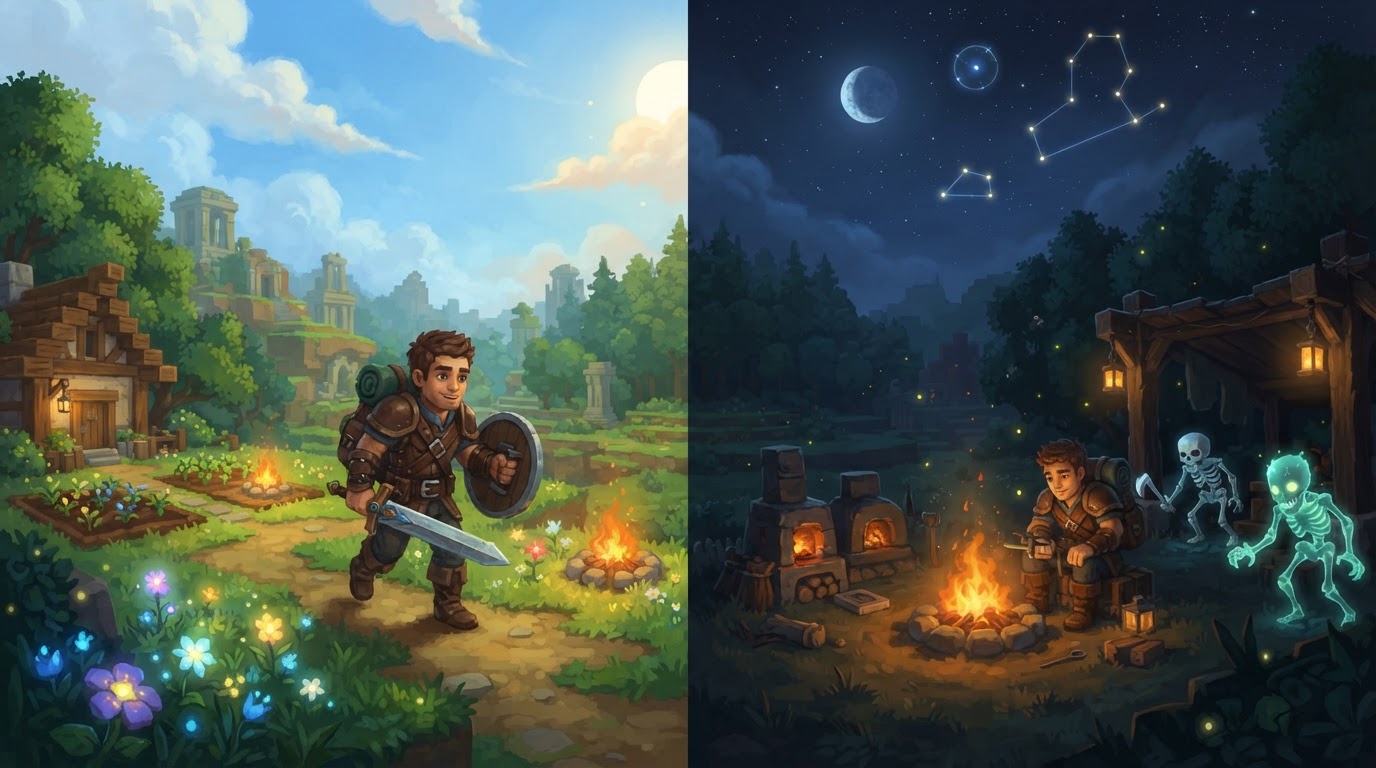
The Hytale day-night cycle is a core dynamic system that profoundly influences nearly every aspect of gameplay, from the types of creatures you encounter and the behaviors of non-player characters (NPCs) to the overall difficulty and atmosphere of your adventure. Understanding and managing this cycle is crucial for survival, resource gathering, and strategic planning in any Hytale world.
Mechanics of the Cycle
Hytale features a dynamic day-night cycle that visually transforms the environment through its advanced lighting system and directly impacts various gameplay elements. A full day cycle in Hytale, encompassing both day and night, lasts approximately one hour in real-time by default. This duration, however, is not fixed; server administrators possess the flexibility to customize the length of both daylight and nighttime phases. This server-side customization allows for a tailored experience, enabling administrators to adjust the game’s atmosphere, pacing, and overall difficulty to suit their community’s preferences.
Gameplay Impact
The transition between day and night in Hytale is more than just an aesthetic change; it triggers significant alterations in the game world that players must adapt to.
- Mob Spawning and Behavior: One of the most immediate and impactful effects of nighttime is the emergence of specific hostile creatures. Notably, “void mobs” are known to only appear during the night. This mechanic encourages players to brave the darkness for unique resources, such as “essence of the void,” which might be dropped by these nocturnal foes. Conversely, it also presents a heightened danger, making nighttime travel and exploration significantly more perilous than during the day.
- NPC Behavior: The actions and routines of non-player characters (NPCs) can change dramatically depending on the time of day. Villagers might retreat indoors, merchants might close their shops, or certain quest-givers might only be available during specific hours. This adds a layer of realism and requires players to consider the time when interacting with the game’s inhabitants.
- Difficulty and Challenge: Nights are inherently more challenging due to the increased presence of hostile mobs and reduced visibility. Lengthening the nighttime duration through server settings can significantly increase the tension and difficulty of the game, pushing players to prepare more thoroughly and seek shelter. Conversely, shorter nights create a more relaxed environment, allowing for extended periods of safe exploration and building.
- Atmosphere and Immersion: Beyond tangible gameplay mechanics, the changing light and sky throughout the cycle contribute significantly to the game’s mood and immersion. From the bright, vibrant hues of midday to the eerie shadows and starlit skies of night, the cycle constantly reshapes the visual and auditory experience, enhancing the feeling of a living, breathing world.
- Resource Management: The passage of time, whether natural or manipulated, can affect elements like crop growth. A faster day-night cycle, or strategic use of time manipulation commands, can accelerate the growth of agricultural resources, allowing for more efficient farming and resource gathering over time.
Exact Steps for Time Manipulation
Hytale offers several methods for influencing the day-night cycle, catering to both server administrators seeking to customize their world and players or in-game administrators looking for immediate control.
For Server Owners (via config.json file)
Server owners have the ultimate control over the default length of day and night within their world. This is achieved by editing the server’s configuration file.
- Stop the server completely: This critical first step prevents data corruption and ensures that your changes are applied correctly.
- Access the server’s file system: This is typically done through an FTP client or your server hosting provider’s control panel.
- Navigate to the world’s configuration file: The file is usually located at
/universe/worlds/<world_name>/config.json, where<world_name>is the name of your specific world. - Locate or add the
"GameplayConfig":section: Within this section, you will define the durations. IfDaytimeDurationSecondsandNighttimeDurationSecondsentries are not present, they must be added manually below this line. - Set the desired duration for each cycle in seconds: For example, to have a 30-minute day and a 10-minute night, you would use:
"GameplayConfig": {
    "DaytimeDurationSeconds": 1800,
    "NighttimeDurationSeconds": 600,
    // ... other config entries
}
Note that the example in the research notes used 1000 seconds for night, which is 16 minutes and 40 seconds. Adjust these values to your preference.
- Save the
config.jsonfile: Ensure your changes are saved. - Restart the server: The modifications will take effect only after the server has been restarted.
In-Game for Players/Admins
Players and administrators can interact with the day-night cycle directly within the game.
- Sleeping:
- Craft a bed: Beds are essential for skipping the night. Examples include a Crude Bedroll (requiring 3 Plant Fiber and 2 Light Hide) or more advanced beds crafted using a Furniture Workbench.
- Use the bed at the appropriate time: Players can only use a bed to sleep and skip the night after a certain in-game evening hour. This is generally accepted to be after 7:30 PM or 9 PM in-game. Attempting to sleep earlier will not advance the time.
- Effect: Successfully sleeping will instantly skip the entire night and advance the time to dawn or early daytime, effectively bypassing the dangers and challenges of the nighttime phase. This method only skips nighttime; it does not shorten the day.
- Admin Commands (Requires Permissions):
For administrators or players with appropriate permissions, a suite of commands provides granular control over time.
/time set <value>: This command allows you to set the in-game time to a specific point. The<value>can be an hour (0-24), a specific number of ticks, or common aliases likedawn,midday,dusk, ormidnight./time add <number>: Use this to advance the current in-game time by a specified number of ticks. This is useful for making small adjustments or speeding up processes./time query <type>: This command displays information about the current time. The<type>argument can be used to query the current in-game time (e.g., in hours and minutes) or the total elapsed game time since the world’s creation./time pause: This powerful command freezes the day-night cycle at its current state. The time will stop flowing, maintaining the current light level and mob spawns. Repeating the command will resume the flow of time./time dilation <value>: This command adjusts the speed at which time passes in the game. Values can range from 0.01 (making time pass extremely slowly) to 4 (making time pass four times faster than default). A value of 1 represents the default speed.
Tips for Managing the Day-Night Cycle
- Strategic Sleeping: In Adventure mode, where survival is key, sleeping through the night is an incredibly effective strategy. It allows players to avoid the most challenging nighttime encounters, preserve resources, and focus their efforts on daytime activities like building, crafting, and safe exploration.
- Server Customization for Unique Experiences: Server owners should leverage the ability to adjust day and night durations to craft unique experiences. This could range from relaxed building servers with exceptionally long days for creative projects to hardcore survival challenges featuring extended, perilous nights.
- Creative Control for Content Creators: For content creators, map makers, or administrators running events, admin commands offer invaluable creative control. They can set specific atmospheres for screenshots or videos, test light-dependent mechanics, or rapidly speed up processes like crop growth for quick testing.
- Command Help: Always remember that you can use
/time -helpin-game to view a comprehensive list of time-related commands and their parameters directly within the game client. This is useful for recalling syntax or discovering new options.
Common Mistakes
Avoid these pitfalls when attempting to manage or customize Hytale’s day-night cycle:
- Server Configuration Without Stopping: A critical error is attempting to edit the server’s
config.jsonfile while the Hytale server is still running. This can lead to data corruption or prevent your changes from being properly saved and applied. Always stop the server first. - Premature Sleeping: Trying to use a bed to skip the night before the designated in-game evening time (e.g., 7:30 PM or 9 PM) will not work. The game will inform you that it’s not yet time to sleep.
- Missing Config Entries: When manually configuring day and night durations in the
config.jsonfile, ensure thatDaytimeDurationSecondsandNighttimeDurationSecondsare correctly added under the"GameplayConfig":section. Placing them incorrectly or forgetting them entirely will mean your custom durations are not applied.
Uncertainties
While the core mechanics are well-defined, some minor details may vary or require player verification. The precise in-game time required to sleep in a bed to skip the night is cited as both after 7:30 PM and after 9 PM in different community discussions. It is advisable to attempt sleeping after 7:30 PM, and if unsuccessful, try again closer to 9 PM to ensure the night is skipped.
Additionally, the Hytale community is known for its creativity. A community-made mod called “RealTimeSync,” for example, can synchronize the in-game day-night cycle and weather with real-world time and geolocation. While this offers an interesting alternative for modded servers and a unique immersion experience, it is important to remember that such features are not part of the core vanilla game mechanics and require server-side mod installation.