
Guide
How to Change Block Placement Reach Distance in Hytale
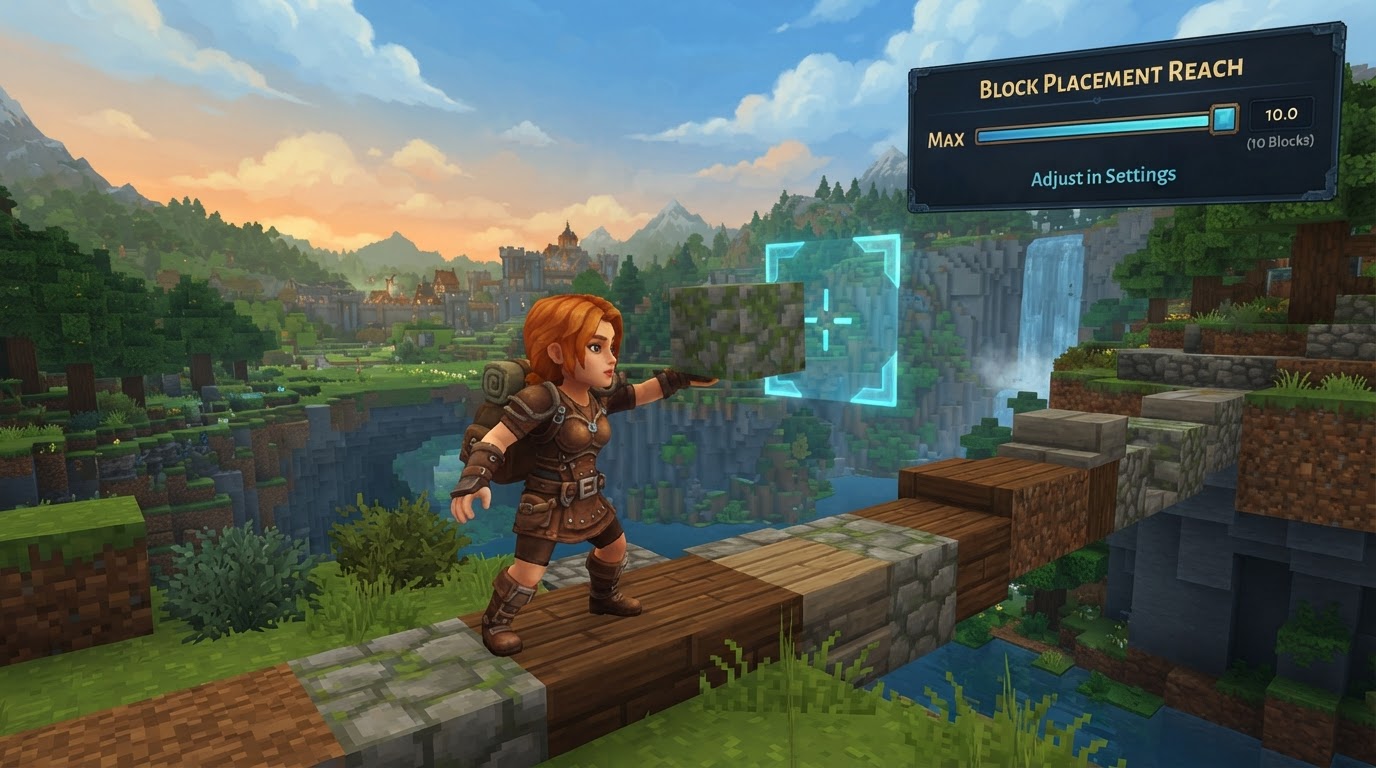
In Hytale, the ability to control how far you can place blocks, often referred to as your “reach” or “interaction distance,” is a powerful tool primarily available within the game’s Creative Mode. This setting, known as creative interaction distance, allows builders and creators to significantly extend or reduce their block placement range, offering unparalleled flexibility when constructing intricate designs or sprawling landscapes.
Understanding Creative Interaction Distance
The creative interaction distance is a dedicated setting within Hytale that dictates the maximum range at which a player in Creative Mode can interact with and place blocks. By default, this distance is set to 10 units, meaning you can place blocks up to 10 blocks away from your character. However, Hytale provides the flexibility to adjust this value anywhere from a mere 1 unit up to an impressive 128 units.
This functionality is crucial for efficiency and precision in building. Imagine needing to place a block on a high ceiling without building a temporary scaffold, or detailing a distant wall from a comfortable vantage point. The creative interaction distance makes these tasks effortless, streamlining the building process and allowing for more ambitious projects.
How to Change Your Block Placement Reach in Hytale (Creative Mode)
Adjusting your creative interaction distance is a straightforward process, accessible directly through Hytale’s in-game settings menu. Follow these steps to customize your block placement reach:
-
Open the Settings Menu
First, you need to access the game’s main settings. This is typically done by pressing the
Esckey on your keyboard, which will bring up the pause menu. From there, select the “Settings” option. -
Navigate to the Gameplay Tab
Within the Settings menu, you’ll see several tabs categorizing different game options. Click on the “Gameplay” tab to access settings related to your in-game experience and controls.
-
Locate Creative Mode Settings
Scroll down through the various options within the Gameplay tab. You will find a dedicated section specifically for “Creative Mode” settings. This is where the block placement reach option resides.
-
Adjust the Interaction Distance
Inside the Creative Mode settings, look for the option labeled
creative interaction distance. You will likely see a slider or an input field next to it. The default value is 10. You can now change this value to your preferred reach, anywhere between 1 and 128 units. Drag the slider or type in your desired number.- Increasing Reach: For large-scale building, setting this to a higher value (e.g., 50, 100, or even the maximum 128) will allow you to place blocks much further away, reducing the need for constant movement or temporary structures.
- Decreasing Reach: For highly intricate or detailed work, a lower interaction distance (e.g., 5 or 10) can provide more precise control, ensuring you don’t accidentally place blocks too far from your immediate focus.
-
Save Your Changes
After you have set your desired
creative interaction distance, ensure you apply or save these changes. There’s usually an “Apply” or “Save” button at the bottom of the settings menu. Once saved, your new block placement reach will take effect immediately in Creative Mode.
Optimizing Your Building Workflow
Mastering the creative interaction distance can significantly enhance your building efficiency and enjoyment in Hytale. Here are some practical tips:
- Large-Scale Construction: When building colossal structures, terraforming vast areas, or working on elevated platforms, a high interaction distance is invaluable. It minimizes repetitive movement and allows you to maintain a broader perspective on your project, accelerating the construction process.
- Detailing and Precision: Conversely, for fine detailing or working in confined spaces, you might find a lower interaction distance more beneficial. It helps prevent accidental placements and allows for meticulous block-by-block adjustments. Don’t be afraid to adjust this setting frequently based on the task at hand.
- Utilize Block Placement Preview: Hytale offers another helpful setting called “block placement preview,” found under the general settings tab. Changing this from “multi-part” to “all” can provide a clearer visual indication of exactly where your block will be placed before you click. This is particularly useful when working with an extended reach, ensuring accuracy even at a distance.
Key Considerations: Creative Mode vs. Survival, and Other Settings
It’s crucial to understand the context and limitations of the creative interaction distance setting to avoid confusion:
-
Exclusively for Creative Mode: The most important point to remember is that the
creative interaction distancesetting is only applicable to Creative Mode. Hytale does not currently offer a native, in-game option to modify your block placement reach in Survival Mode. In Survival, players operate with a fixed, shorter interaction range, designed to encourage exploration, resource gathering, and more grounded gameplay mechanics. -
Not to Be Confused with View Distance: Do not mistake
creative interaction distancefor “view distance” (also known as render distance or maximum view radius). View distance determines how far you can see into the world – how many chunks are loaded and rendered around you. This is primarily a performance setting, often configured by server administrators to balance visual fidelity with server performance. Changing your view distance will not affect how far you can place blocks; it only changes what you can perceive in the environment. - Modding Potential for Survival Mode: While there’s no official way to change Survival Mode reach, Hytale is being built with extensive modding capabilities and a robust API. It is theoretically possible that community-created mods or server plugins could introduce functionality to alter block placement reach in Survival Mode in the future. However, as of current verifiable information, there isn’t a widely known or readily available mod that provides this specific feature. Players interested in such functionality would need to monitor the Hytale modding community for developments.
Conclusion
The creative interaction distance setting in Hytale’s Creative Mode is an indispensable tool for any builder looking to optimize their workflow and tackle ambitious projects with greater ease. By understanding how to adjust this setting and leveraging its capabilities, you can transform your building experience, making complex constructions more manageable and efficient. Remember that this powerful feature is exclusive to Creative Mode, allowing for a focused and tailored building environment.